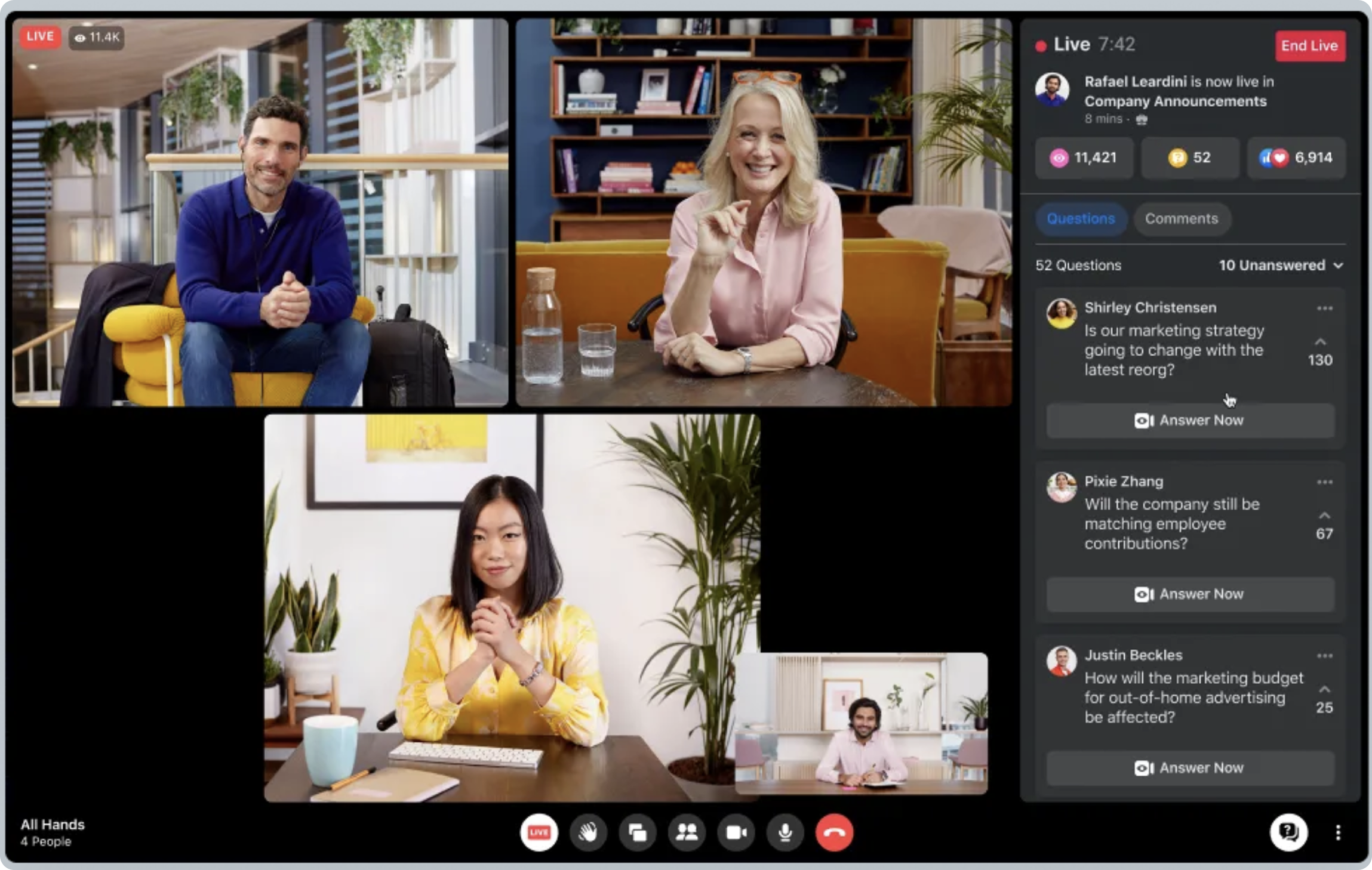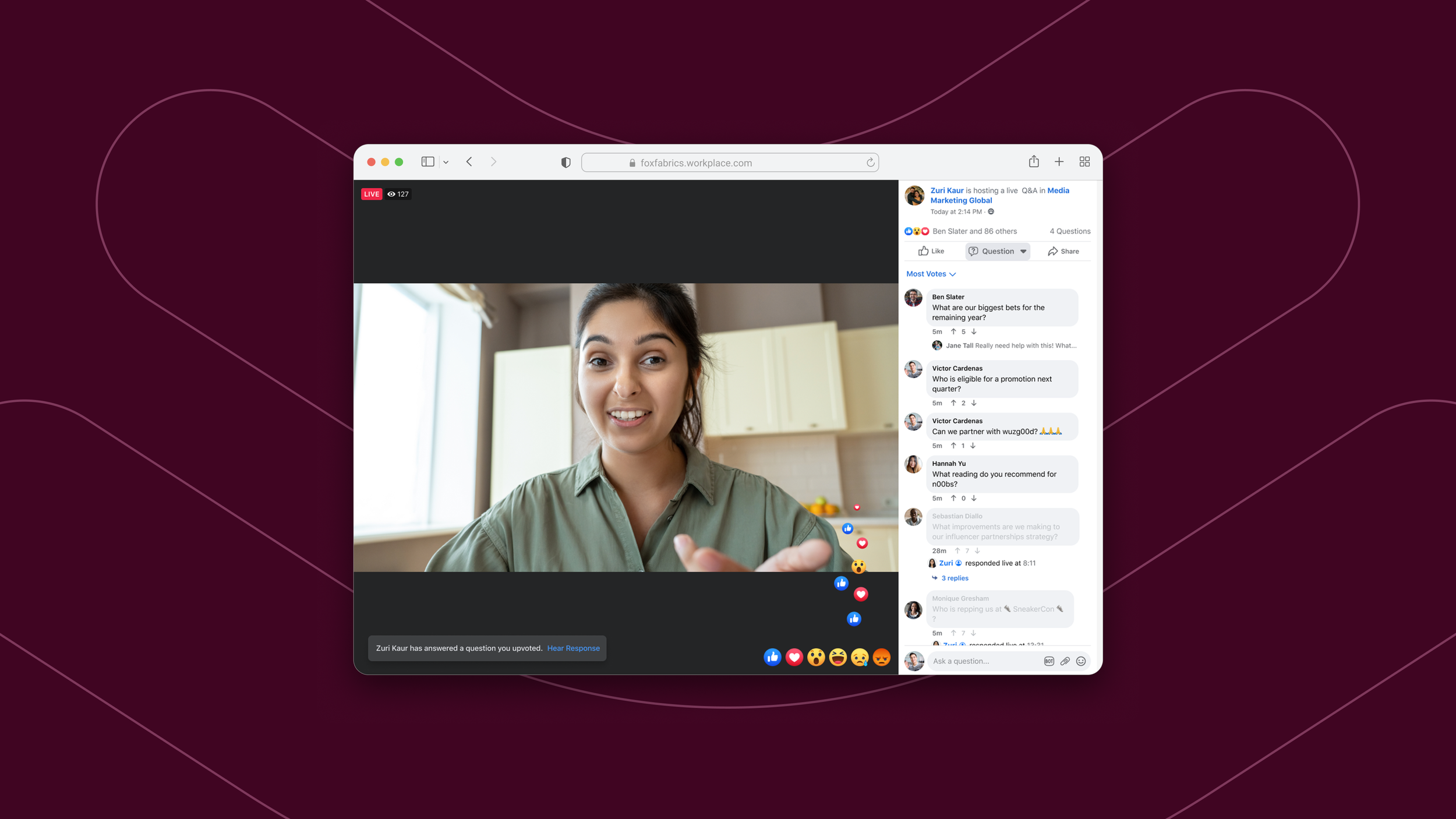
Workplace from Facebook
Lead UX, Broadcast Video
Jan 2020 - Dec 2020
Mobile, Web
Foundational design for live video broadcasting in Facebook Workplace: engagement features, ML-enabled video discovery and actionable insights
Broadcast video was a feature team focused on building a suite of experiences in Workplace for live video and video-on-demand.
Our goal was to help company leaders (creators) better engage with their employees through top-down communication. We set out to address this by looking at how employees were engaging with content, how that engagement was then measured and relayed back to leaders, and how best to ensure that the content displayed on Feed remained fresh and relevant for everyone.
On Workplace, there were three account types with various permissioning rules: admin, frontline, and knowledge worker. For our solution to scale across companies we would have to evaluate consumption and engagement patterns across each account type. We aligned on 3 feature areas to explore:
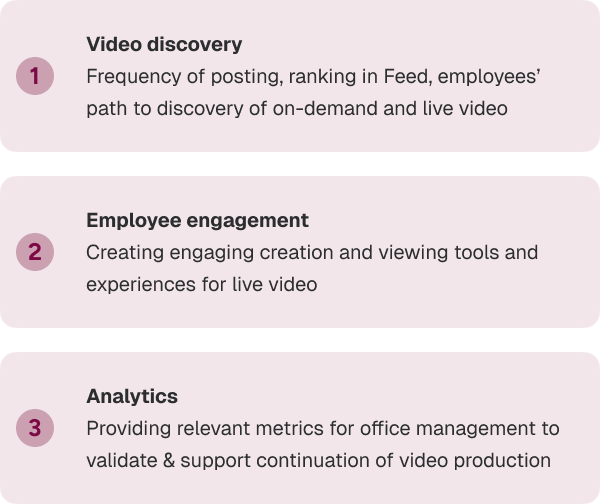
Video Discovery
After some in-depth interviews, we learned that hosts and viewers alike viewed video surfacing as a primary pain point. To increase discoverability of videos across Feed, I worked with the ML and ranking engineering and data teams to understand how we were applying the signal we collected on the app. We were gathering data points like groups people had joined, people they followed, etc. but it was largely decorative. It was time to use this data to create a video recommendation engine and display.
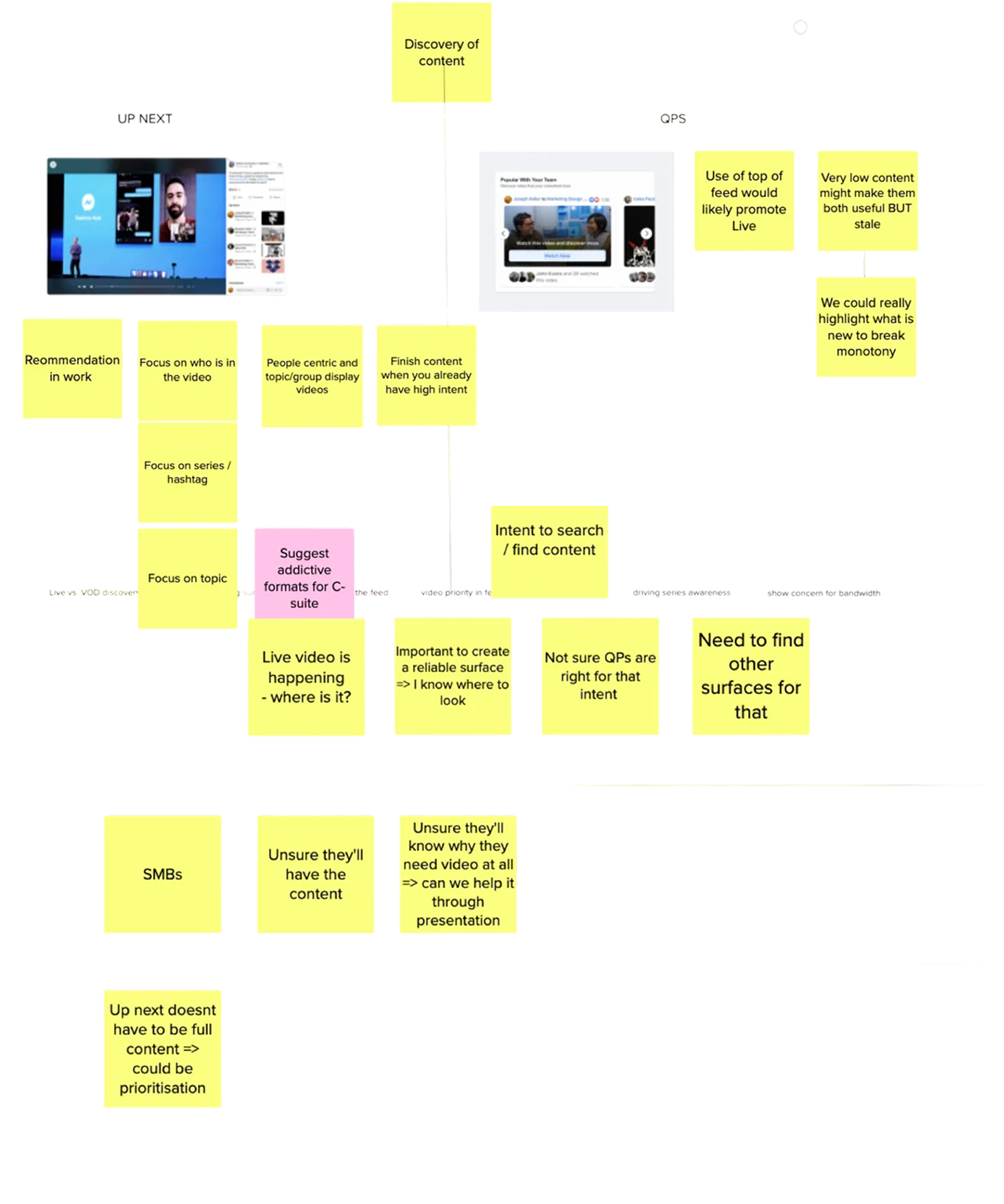
To understand the baseline pattern for video consumption and display, I had a deep look at what was being done across Facebook. I began with a teardown of all the surfaces where video was displayed.
In my discovery I found that different surfaces were owned by various partner teams, some designs patterns were necessitated by integration constructs, and a good bit of patterns were technically deprecated. Fortunately there were a lot of experiments that were being run on new patterns that I could take back to the team for learnings.
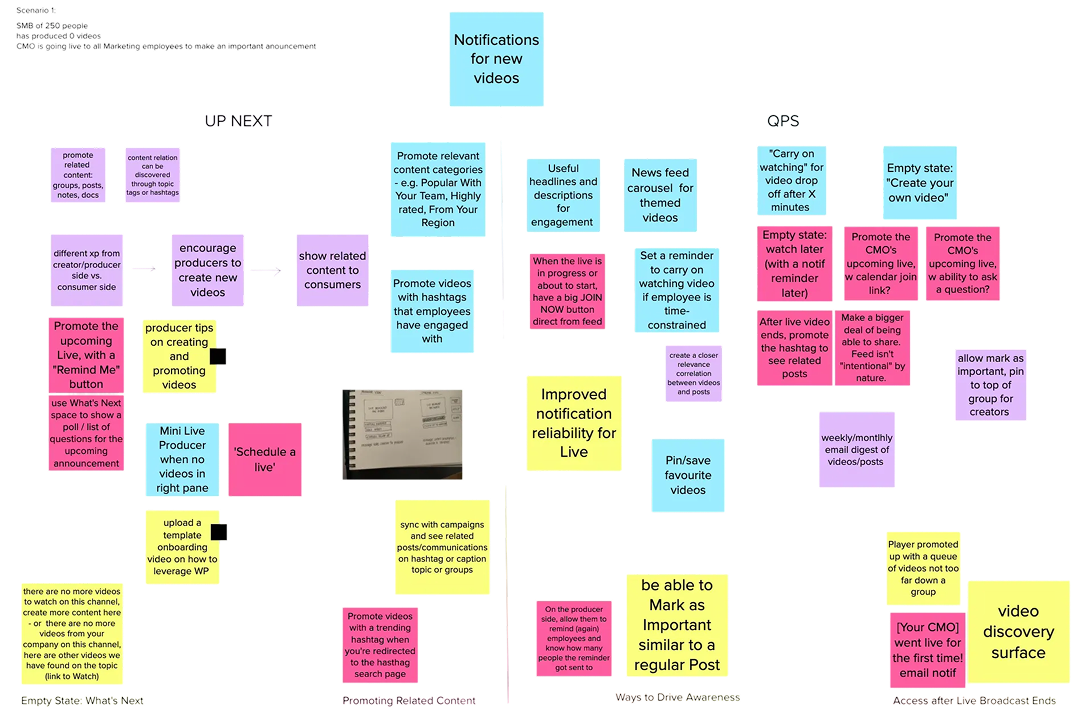
Further discussion with the team led me to concept different groupings for posts and video posts. We also explored how third-party integrations could be used to further amplify video posts to employees.
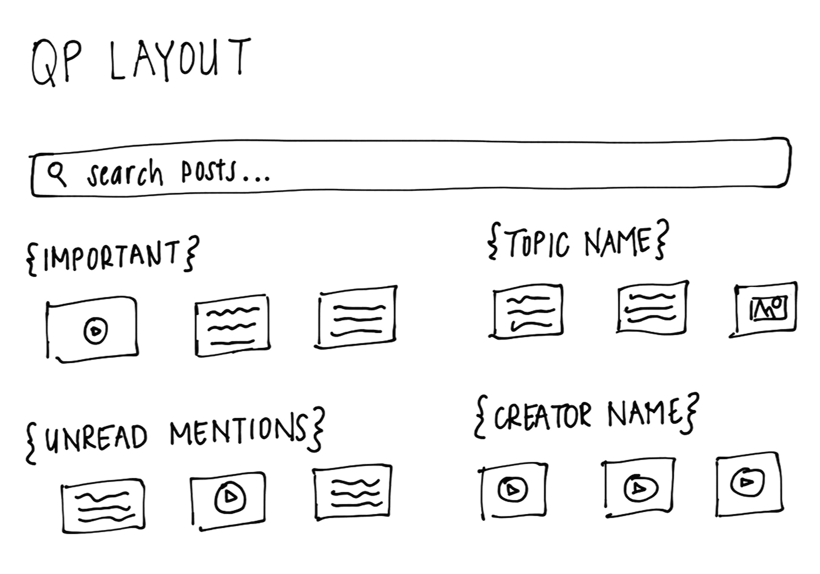
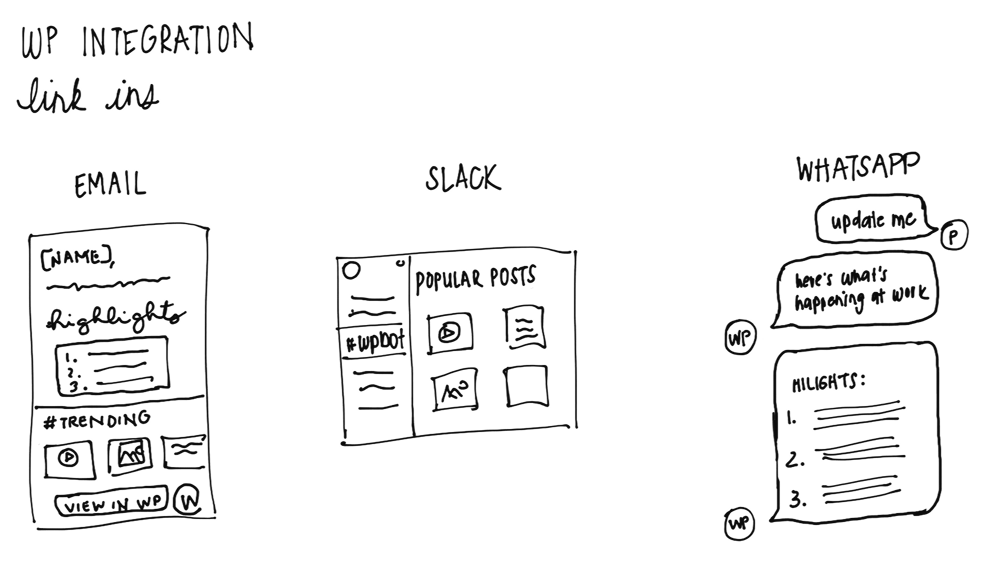
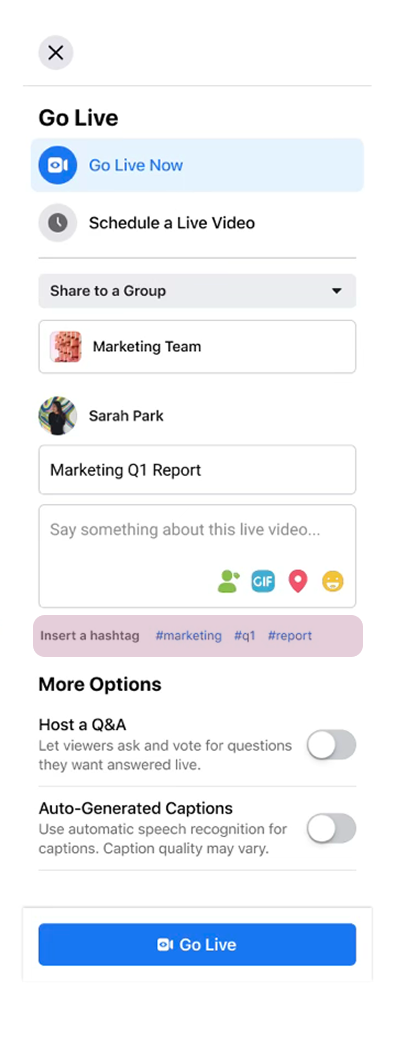
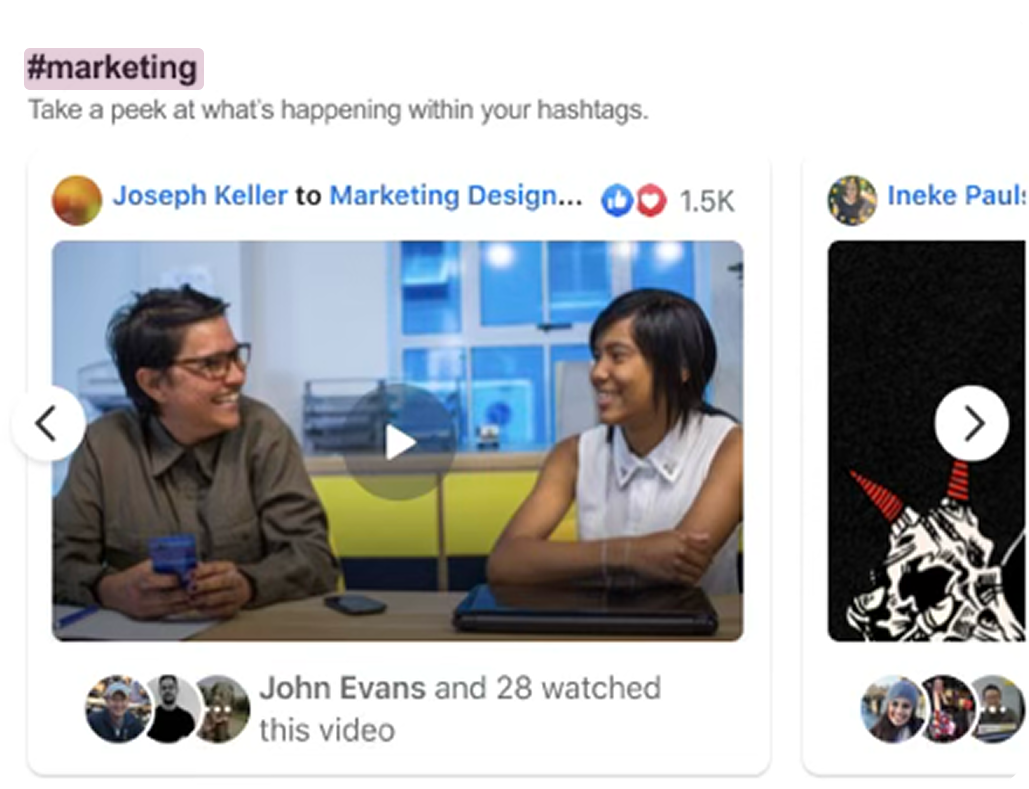
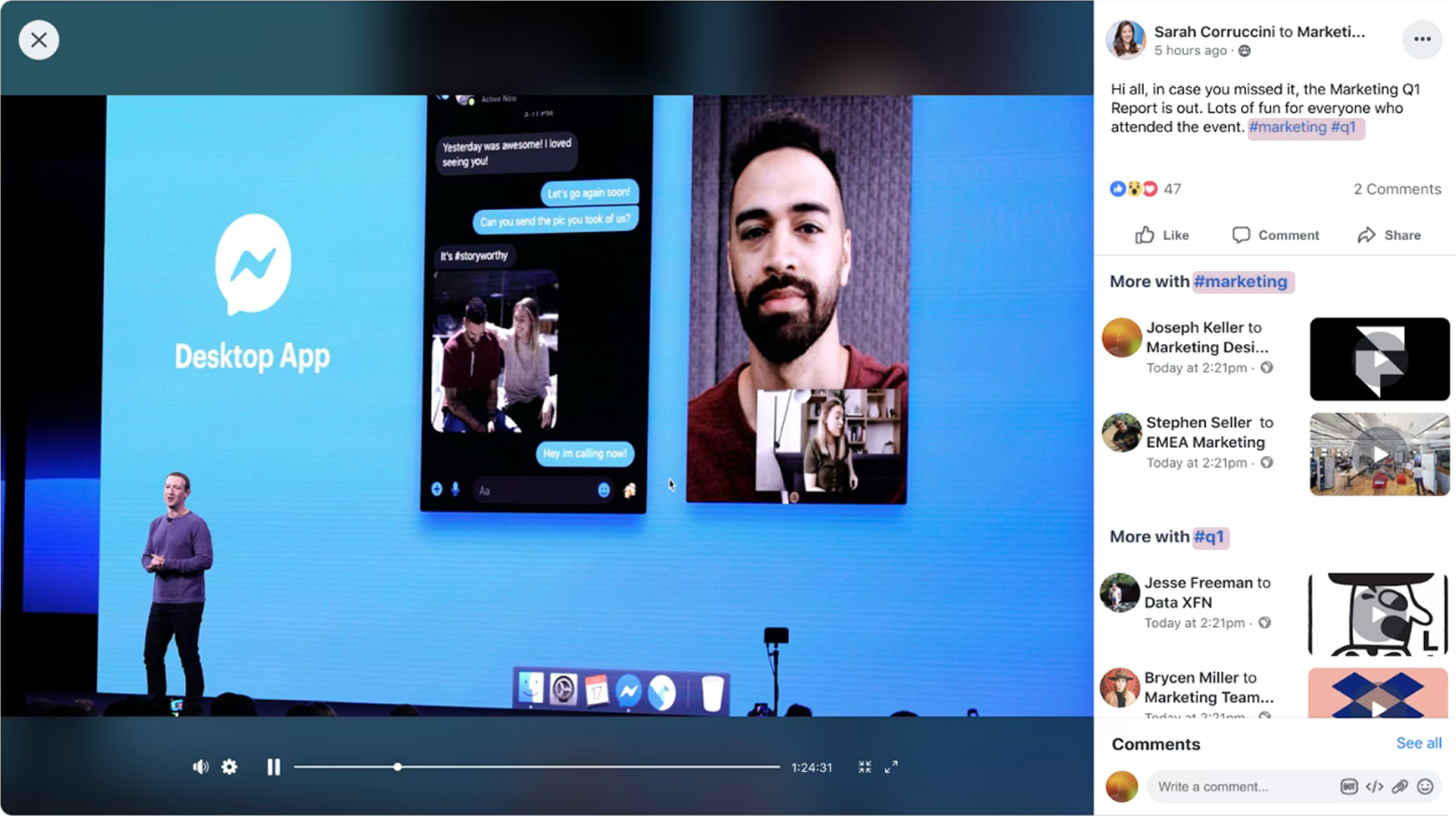
Taking inspiration from Twitter to propose that video groupings on Feed be created with hashtags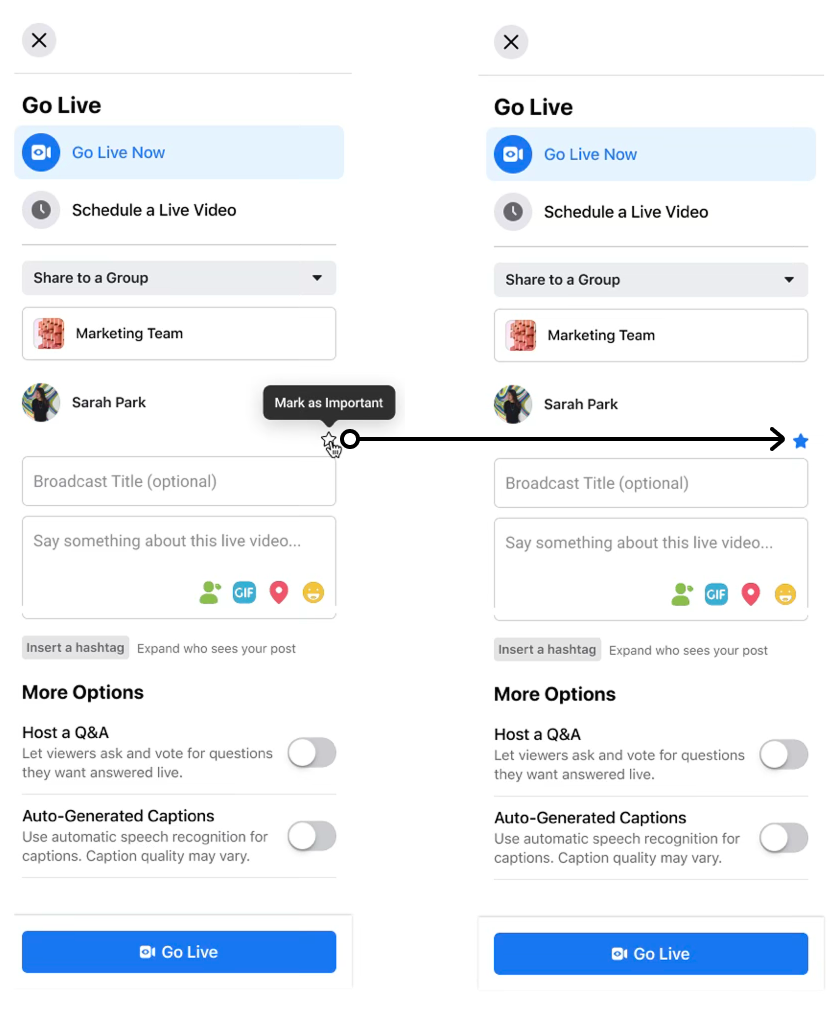
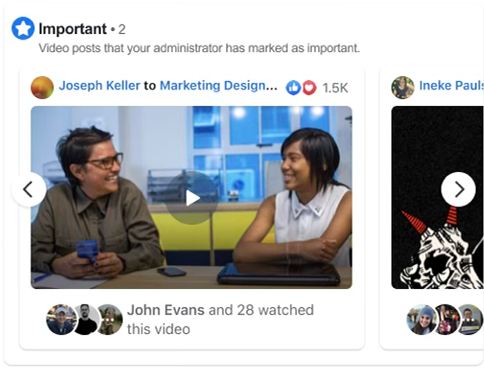
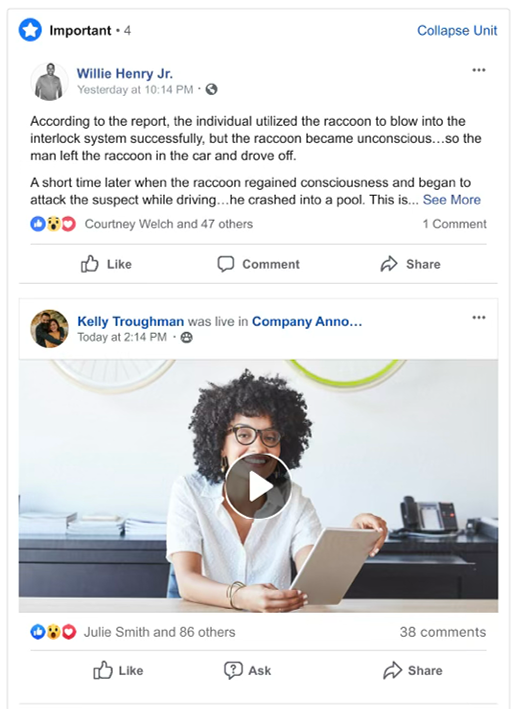
We had a ‘Mark as Important’ feature for text posts; could it be repurposed for video posts? How would a video that was marked as important appear with other posts?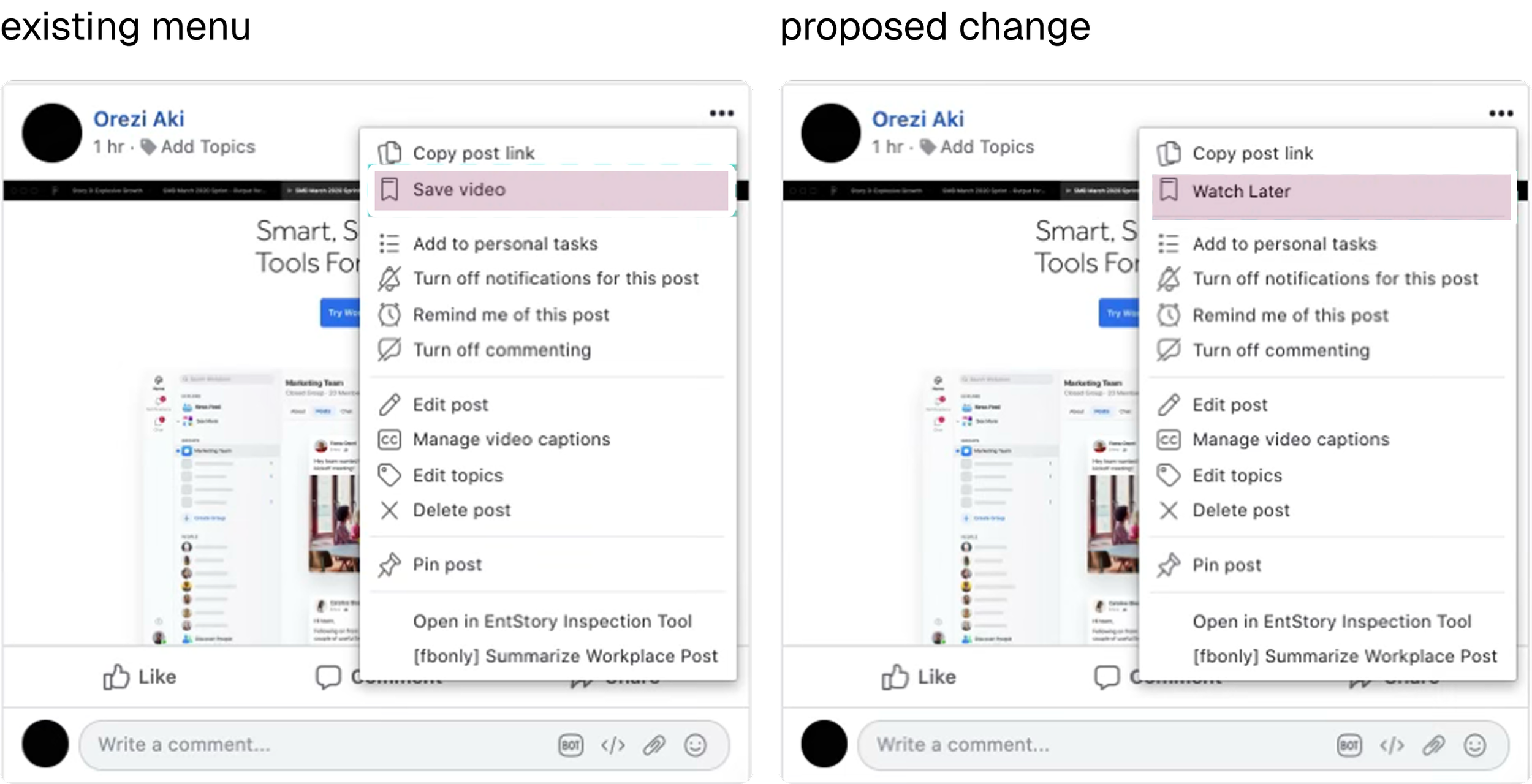
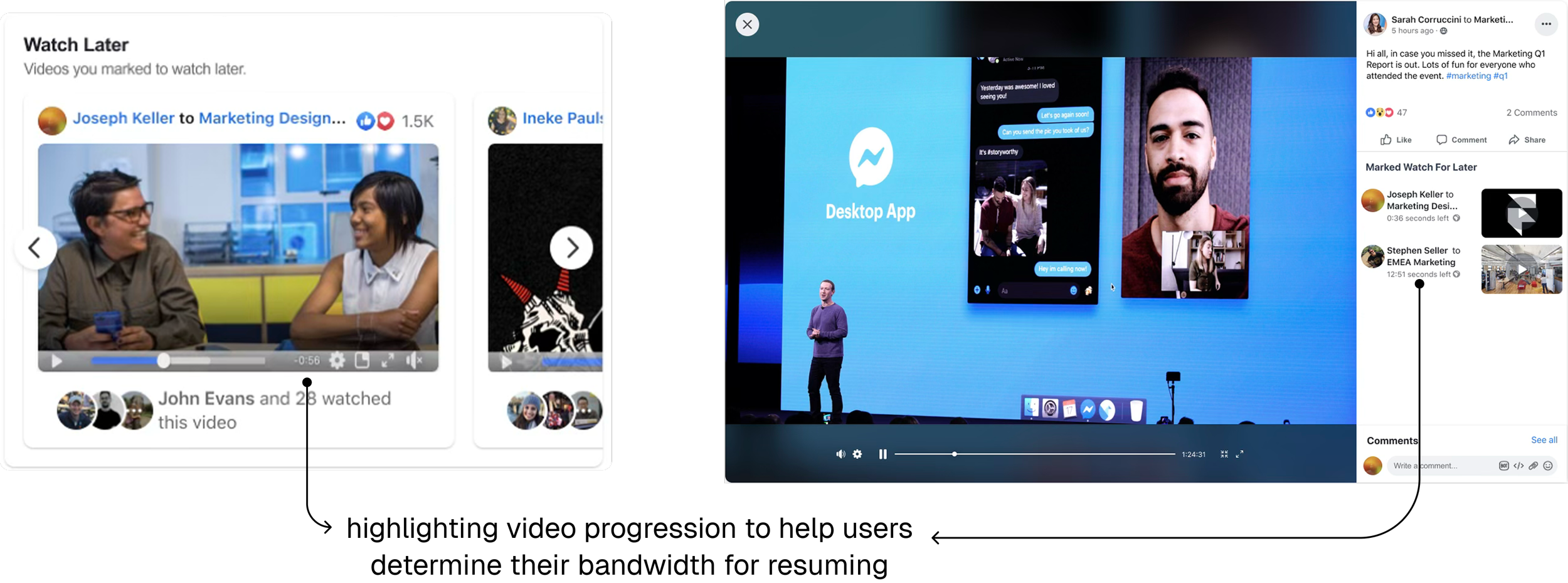
Could we create a ‘Watch Later’ playlist like YouTube? What visual cues could we employ to encourage users to jump back in?Exploring new grouping methods on Feed was one way of addressing the problem, but the IDIs revealed that employees were more often discovering videos through search, and were 44% less likely to find them without some combination of four key components.
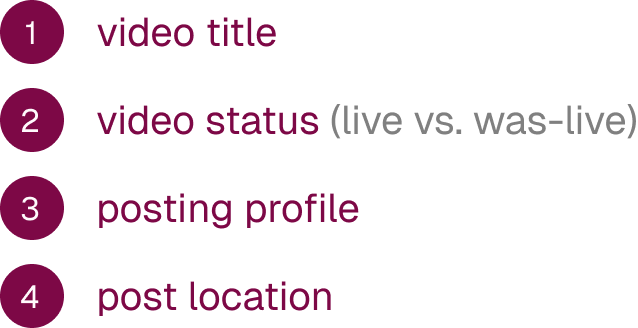
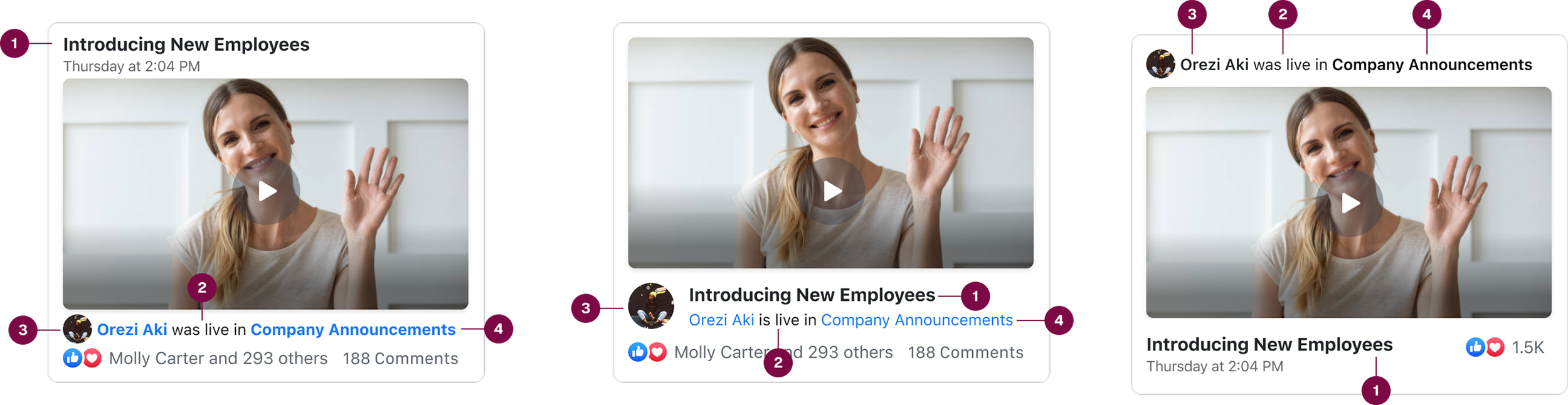
By introducing a consistent pattern for display in Feed UI, we’d better enable employees to remember these key indicators when looking for videos later.
The great thing about working at Facebook while building these features was that both user bases were in-house. As we ran experiments on recommendations and groupings, we were able to collect direct feedback from leaders and employees at Facebook.
While insightful, research with external users helped us discover that the way Facebook used this product was completely different from other companies. We found that every company had its own nuance to their Workplace use.
Posts on Facebook’s internal Workplace generally had high engagement and discoverability. For other companies we were finding the opposite to be true, so we ran experiments on ending carousels with trending posts and search.
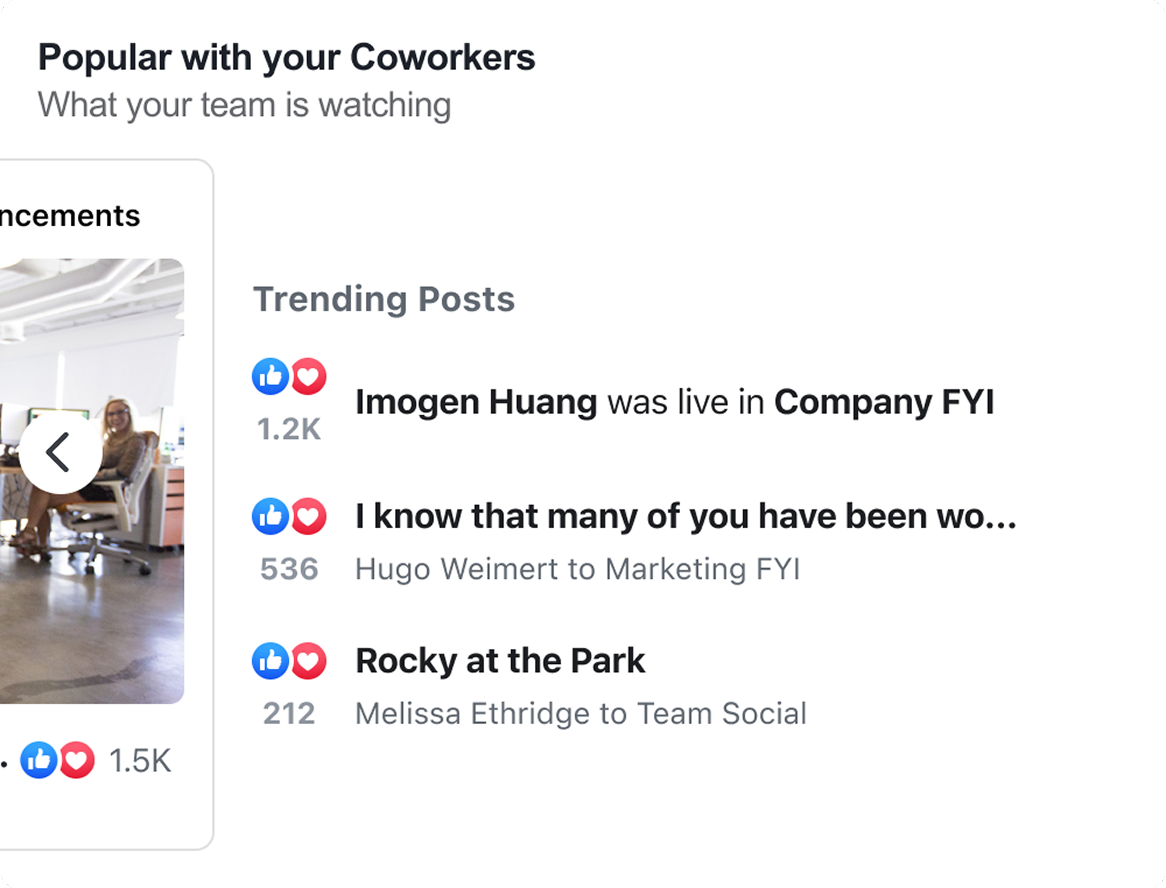
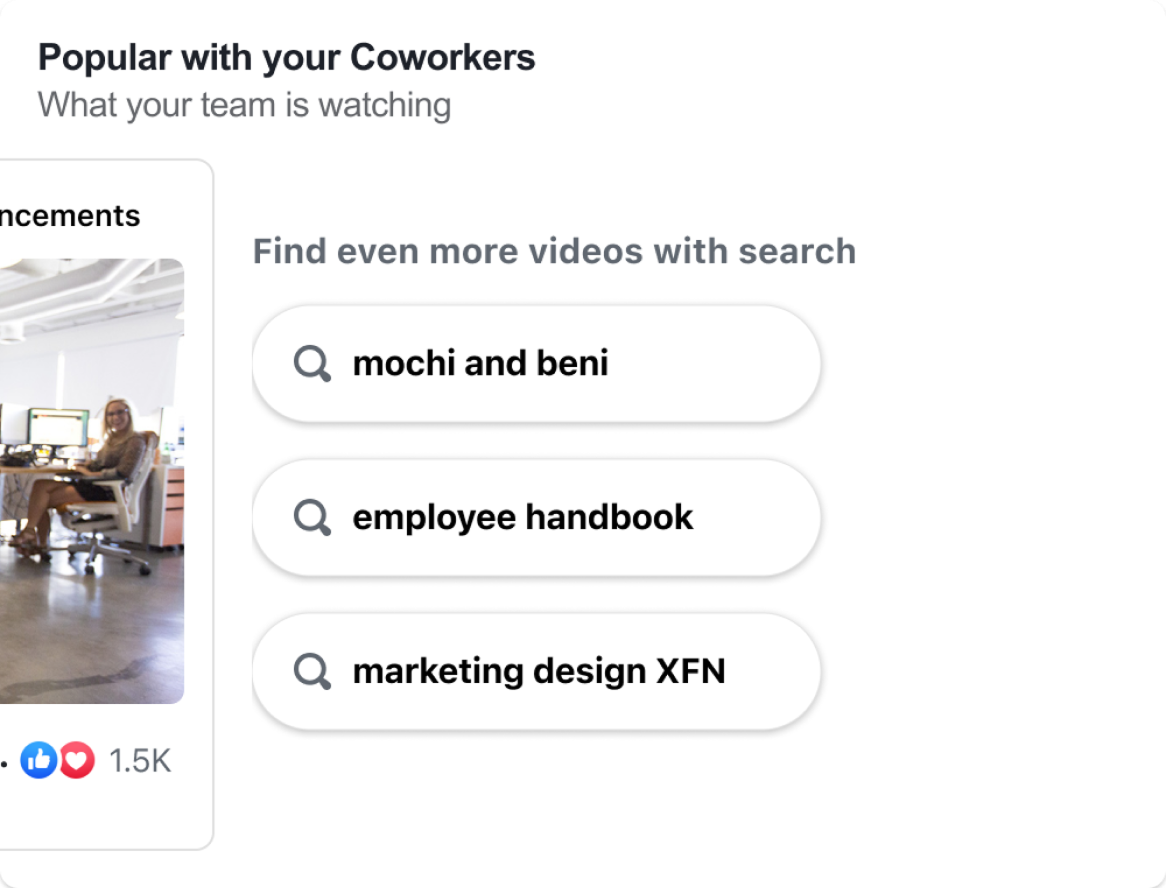
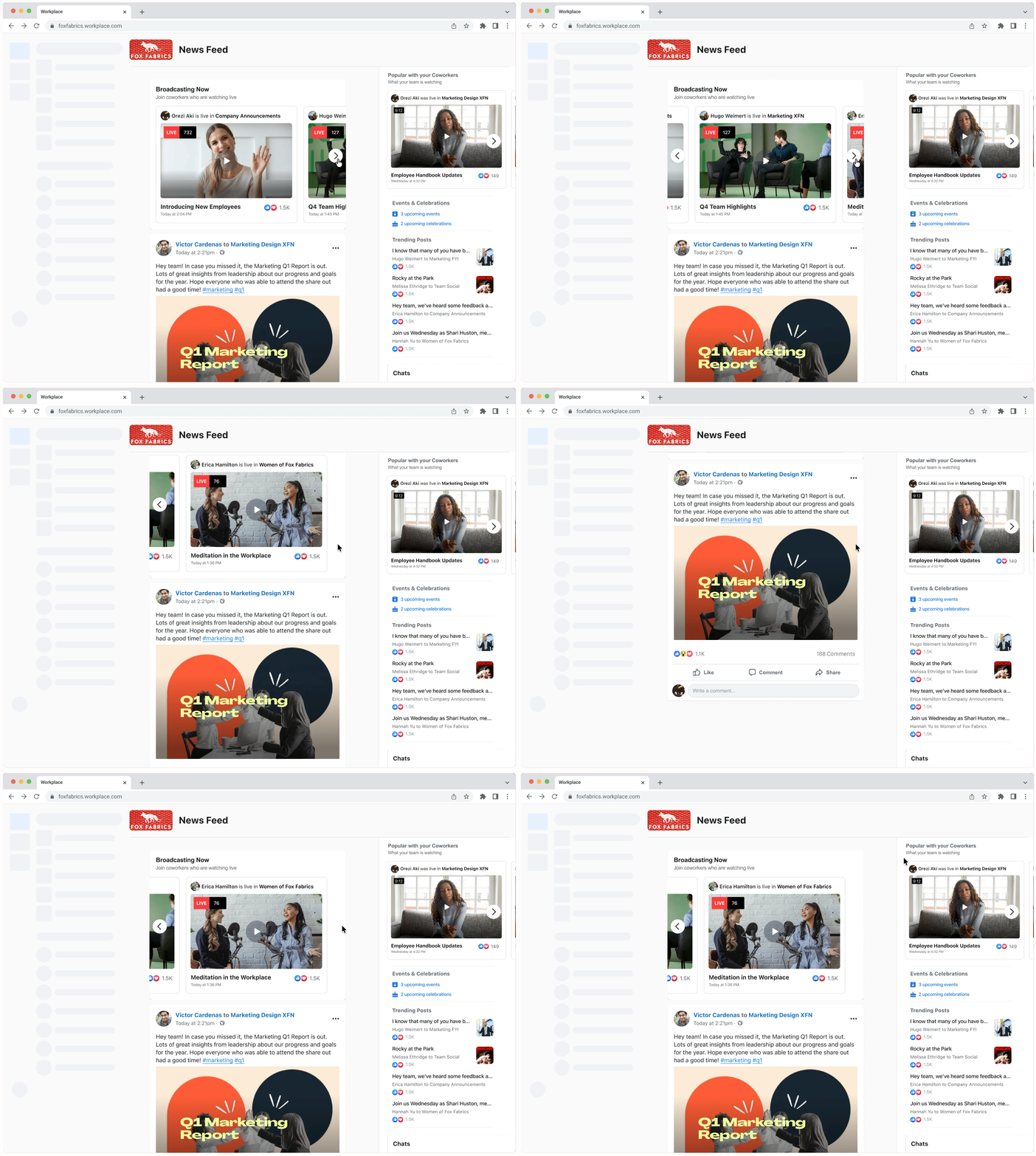
In the end, we created two carousels. The ‘Broadcasting Now’ carousel was pinned at the top of Feed and showed current and upcoming live videos. ‘Popular with your Coworkers’ appeared in Feed and videos were stack ranked based on recency, connections, and engagement. For this first launch phase, the cost of implementing search or trending posts at the end of the carousel proved to be too high so we left the carousel to end in a video post.
Employee Engagement
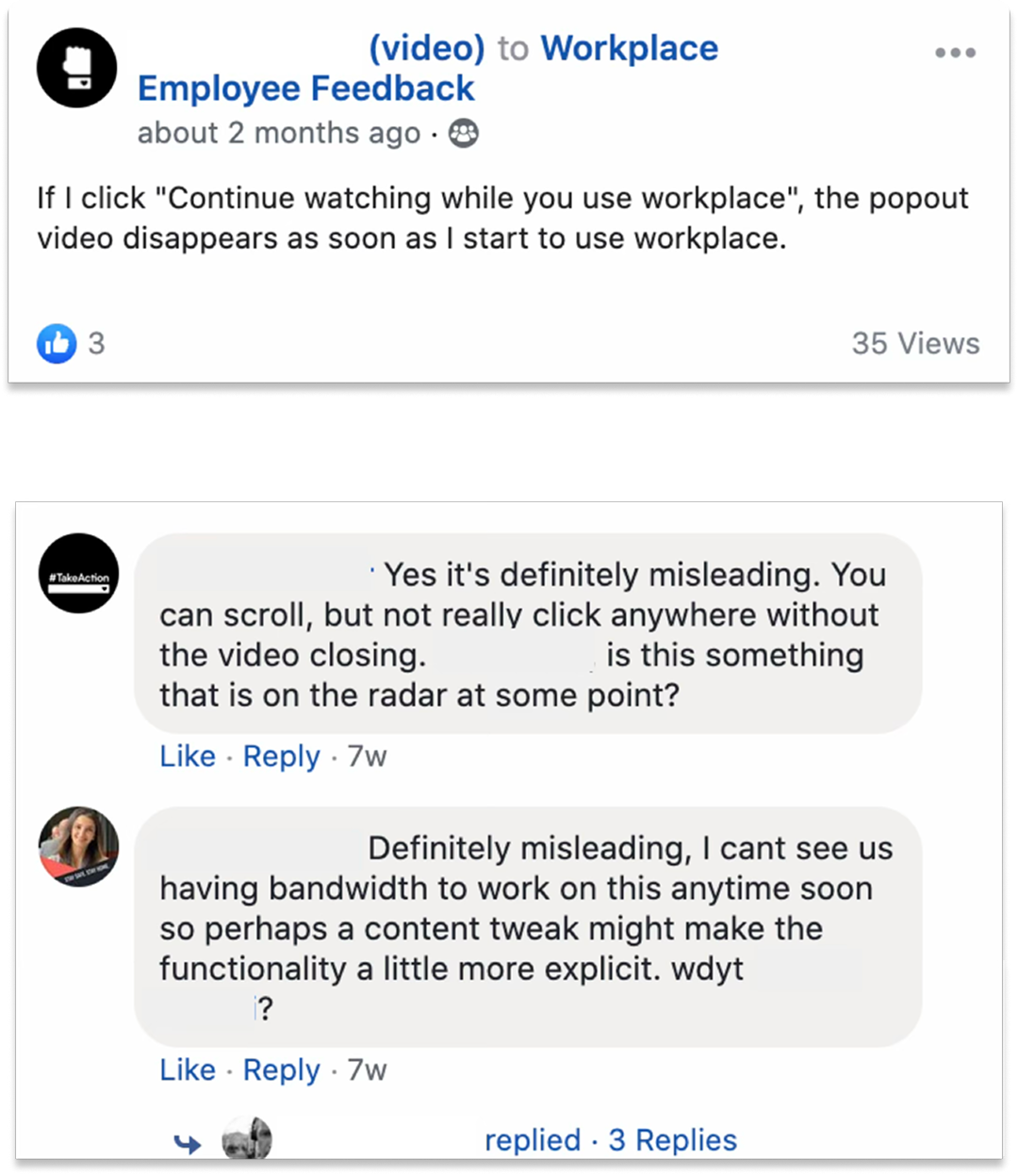
A repeated theme from research was the desire for employees to move from a passive live video consumption state to a more active video experience. There were a number of tools and plugins that could be used with live for both creators and employees, but the creation and viewing experiences behind them were severely broken.
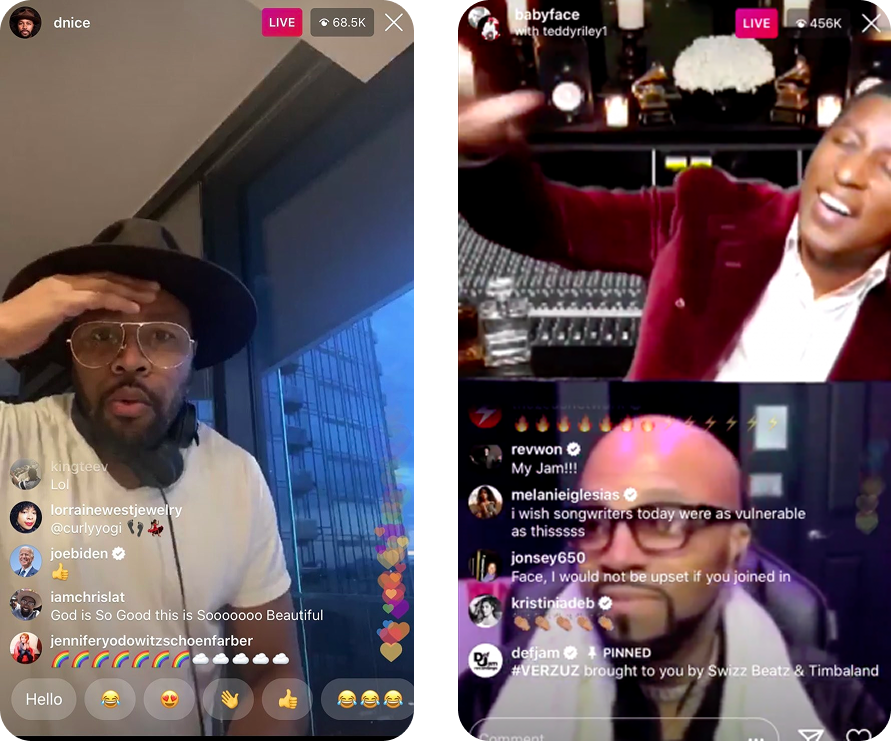
The pandemic brought about new behaviors to the Facebook family of apps. More and more data was showing that users were spending a considerable amount of time watching videos on our surfaces. While participating, I studied the user-generated experiences that were being created on our surfaces, like Verzuz on Instagram live. The team and I also referenced data from other video teams within Facebook to understand what paradigms would be most beneficial to our user set.
On Workplace, we found that live video posts were among the top drivers of engagement. Like on our other platforms, viewers had a lot of questions for the creators but those questions were either buried in threads on more popular videos or quickly lost in ephemeral comment ranking patterns. As a team we aligned to first tackle addressing the Q&A experience on Workplace live video.
On Fridays, Mark would host a company-wide Q&A session where employees had the opportunity to ask him anything. Before the video went live (pre-live), admins relied on Feed posts to collect questions for Q&A sessions. At a company of our scale, thousands of people would ask questions but only few were selected to be answered.
At smaller companies, there was very little pre-live question collation; questions were collected during live streams. Without time to prepare their thoughts, employees were often too intimidated to participate.
Both internally and externally, admins found moderating and hosting these sessions to be taxing. They were frustrated by a complicated set up process and extensive follow up. Questions and comments were indistinguishable, and with no defined moderator role admins would have to field both in real-time, making it difficult to multitask.
Broadcast video Q&A sprint
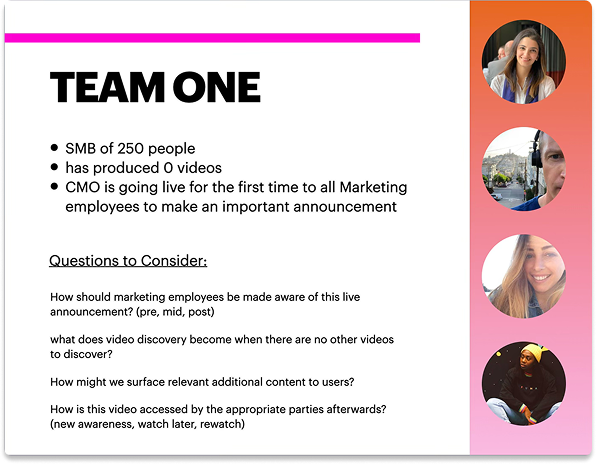
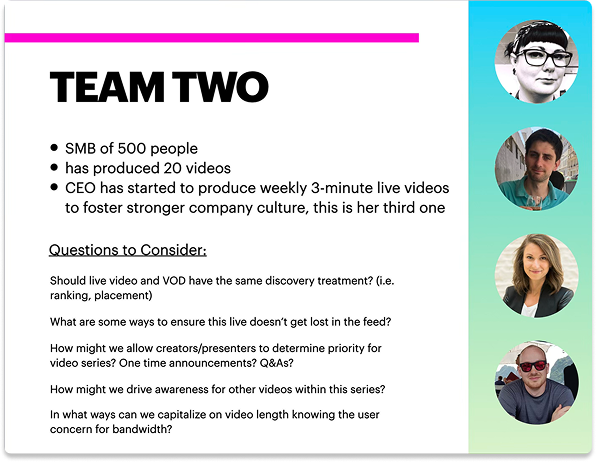
I ran a two day sprint with my XFN partners to break out our users into three groups:
hosts, moderators, and viewers
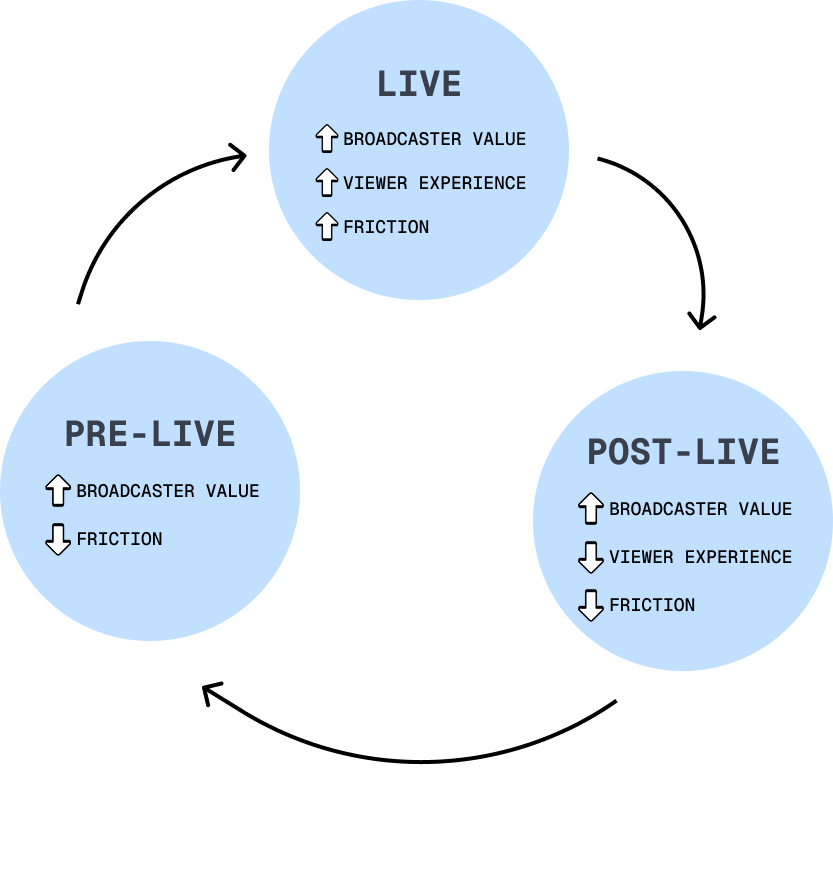
We looked at the Q&A experience of the group in three states
pre-live, live, and post-live
I collaborated wth research to appropriately split the group of 8 into two teams, developing scenarios based on company size and broadcast proficiency.
Host experience
Hosts were largely engaged during the pre-live and live video phases. They were trying to build their audiences and maintain viewership by experimenting with different formats to spice up their videos, but still required tools for creating engaging Q&As.
Since our new concept would involve introducing clear CUJs for the moderator role, we eliminated any jobs relating to engagement, opting to shift those to the moderator so we could focus on improving the core host experience.
Pre-live, hosts would join calls in meeting rooms that utilized the Facebook Rooms interface. Hosts were familiar with this UI as it was intuitive and reminiscent of competitor market offerings.
We opted to maintain the simplicity of the pre-live experience by making sure hosts had clear access to basic audio and visual controls. Based on feedback, we enhanced the experience by adding link sharing, room locking, the ability for Room members to raise hands and to edit Room members.
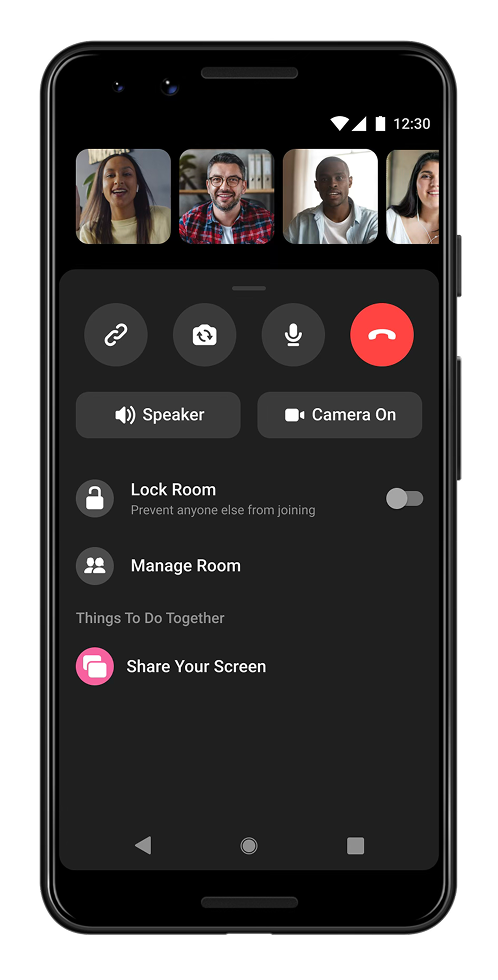
Once a video was live streamed, a broadcast of the Rooms call was shared to a chosen set of people. Because Rooms lacked the infrastructure to support the advanced tooling needed for live streaming, once the intent to go live was made the UI switched to the Live Producer interface.
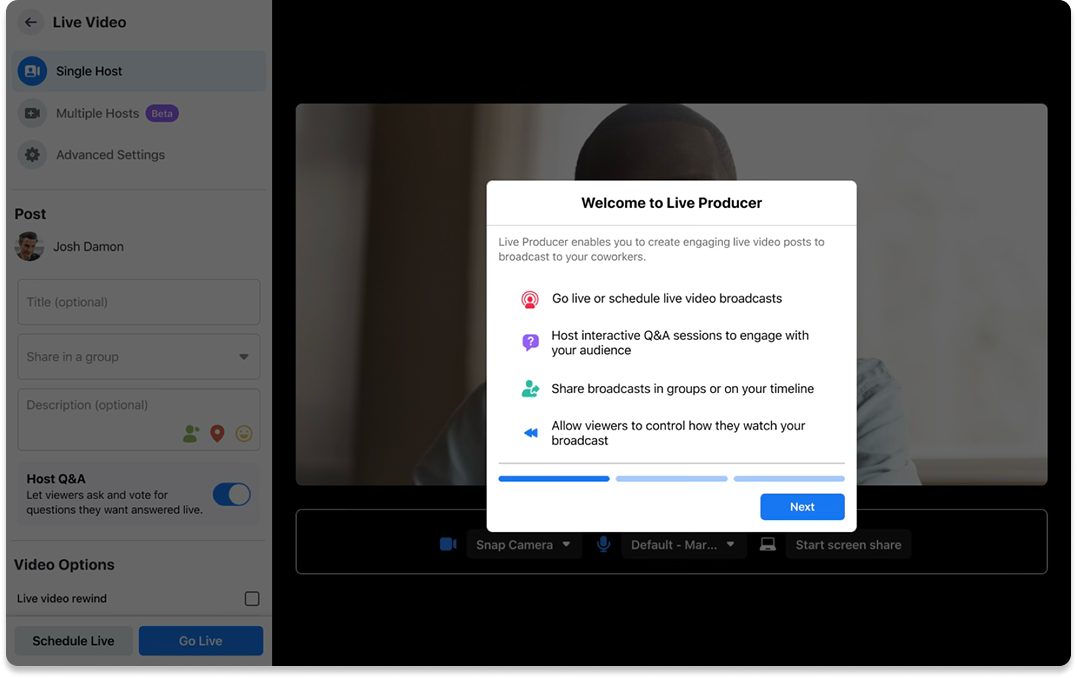
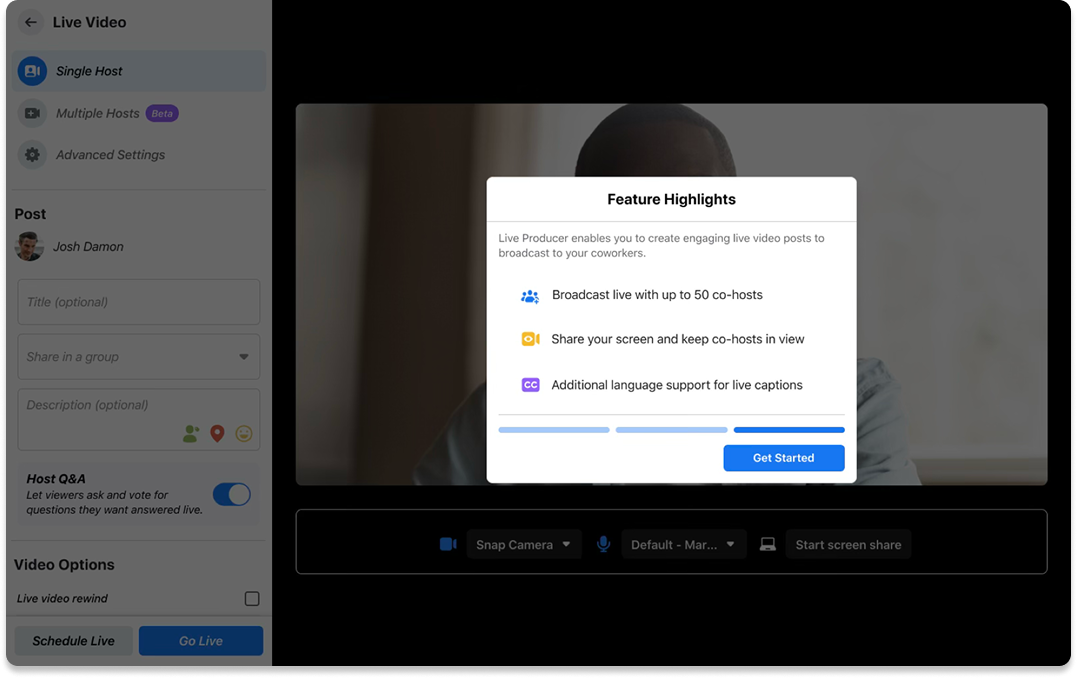
Live Producer was a legacy Facebook feature, and was buggy and over-complex. 19% of interviewed hosts dropped off at this step and did not go live, as they were overwhelmed and unsure of available features.
To make improvements here, I worked with content to simplify the IA of live producer. We also included a 3-step education dialog, teaching hosts how to use the space and highlighting new desired features, like interactive Q&A.
Moderator experience
At larger companies, moderators served to bridge the gap between executives (hosts) and employees (viewers). For companies that were smaller in size, the host and the moderator lines were often blurred.
They were typically engaged through all phases of the live video and were tasked with stream scheduling and coordination, engagement management, video distribution and recap.
To get a Q&A set up, a moderator had a couple of options. They would first have to access Live producer by creating a post in Feed. Pre-live, the moderator had to first consider if they wanted to schedule the Q&A as a meeting or a post. Scheduling a meeting came with the advantage of higher discoverability for larger organizations; meetings were video-led and came with event card UI that also showed up in Notifications. Posts showed up directly in Feed, with the option to host a Q&A without video, resulting in a less engaging experience that was harder to find in Feed. These nuances were clear internally, but proved to be confusing for external users; we simplified the experience by consolidating the choices. Now, regardless of the size of one’s organization a Q&A would be video-led with notifications to the appropriate channels, as well as a post in Feed. The only decision a moderator would have to make was whether they wanted to go live immediately, or schedule the Q&A for later. Moderators could now also mark a Q&A as ‘Open for Questions’. This enabled viewers more time to prepare their questions and moderators more time to collect.
LEGACY CREATION EXPERIENCE
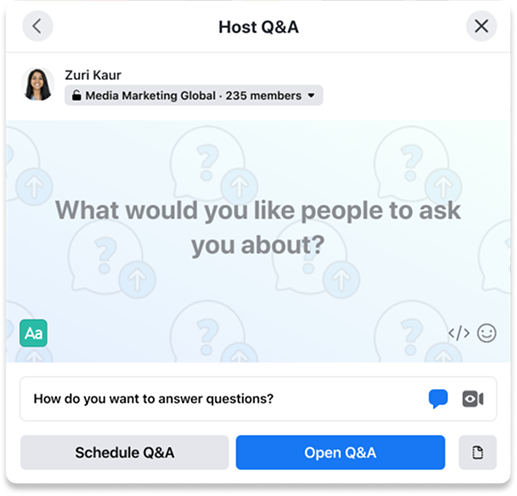
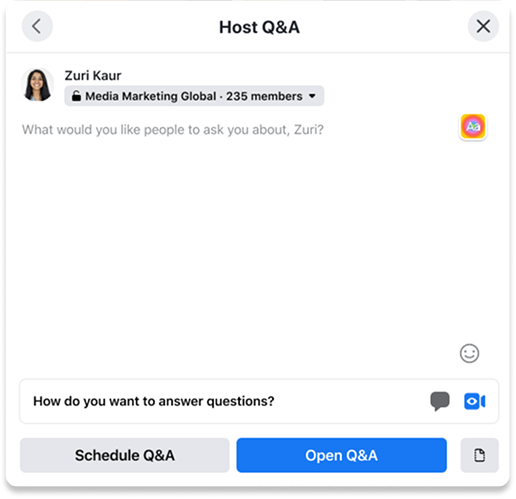
Q&A from post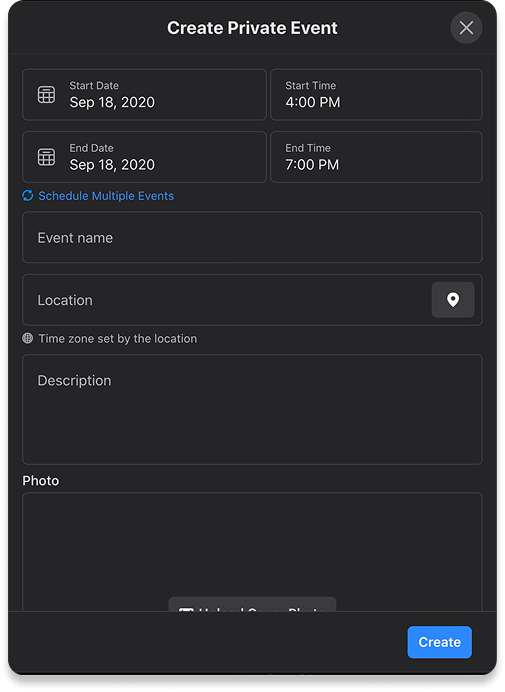
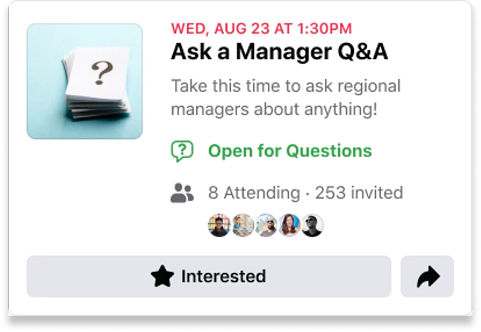
Q&A from event, event card outputIMPROVED CREATION EXPERIENCE
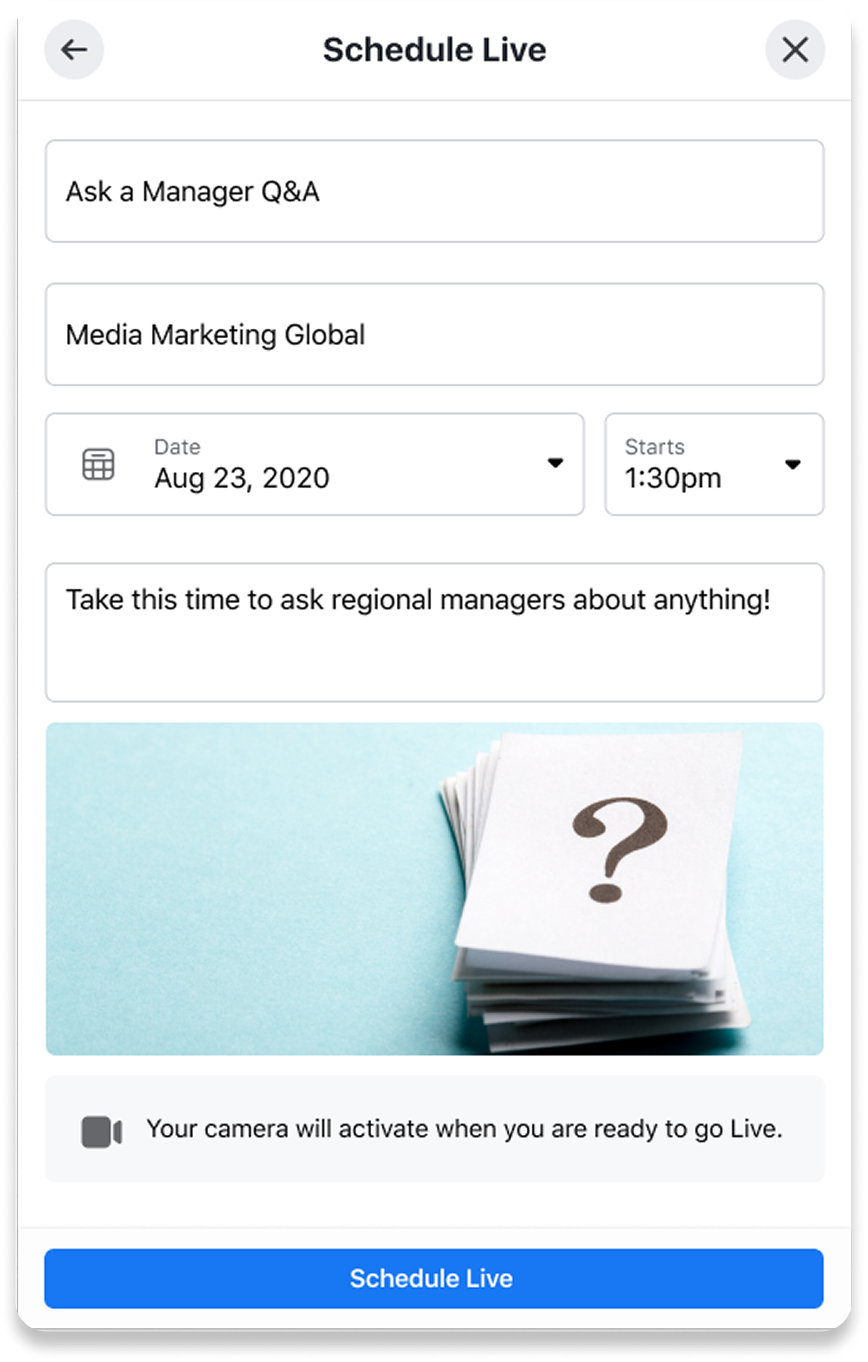
Q&A scheduler modal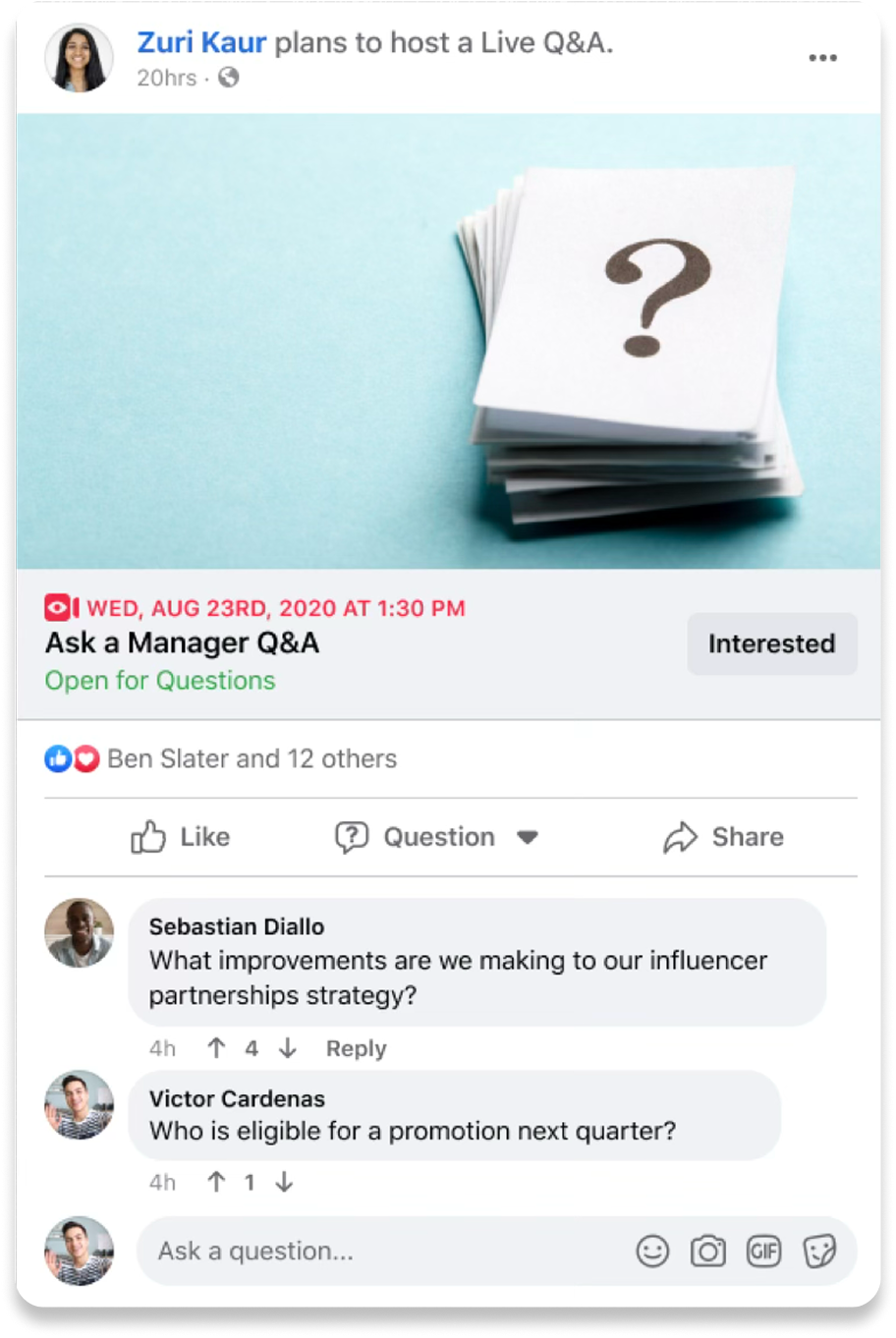
Post output: scheduled Q&A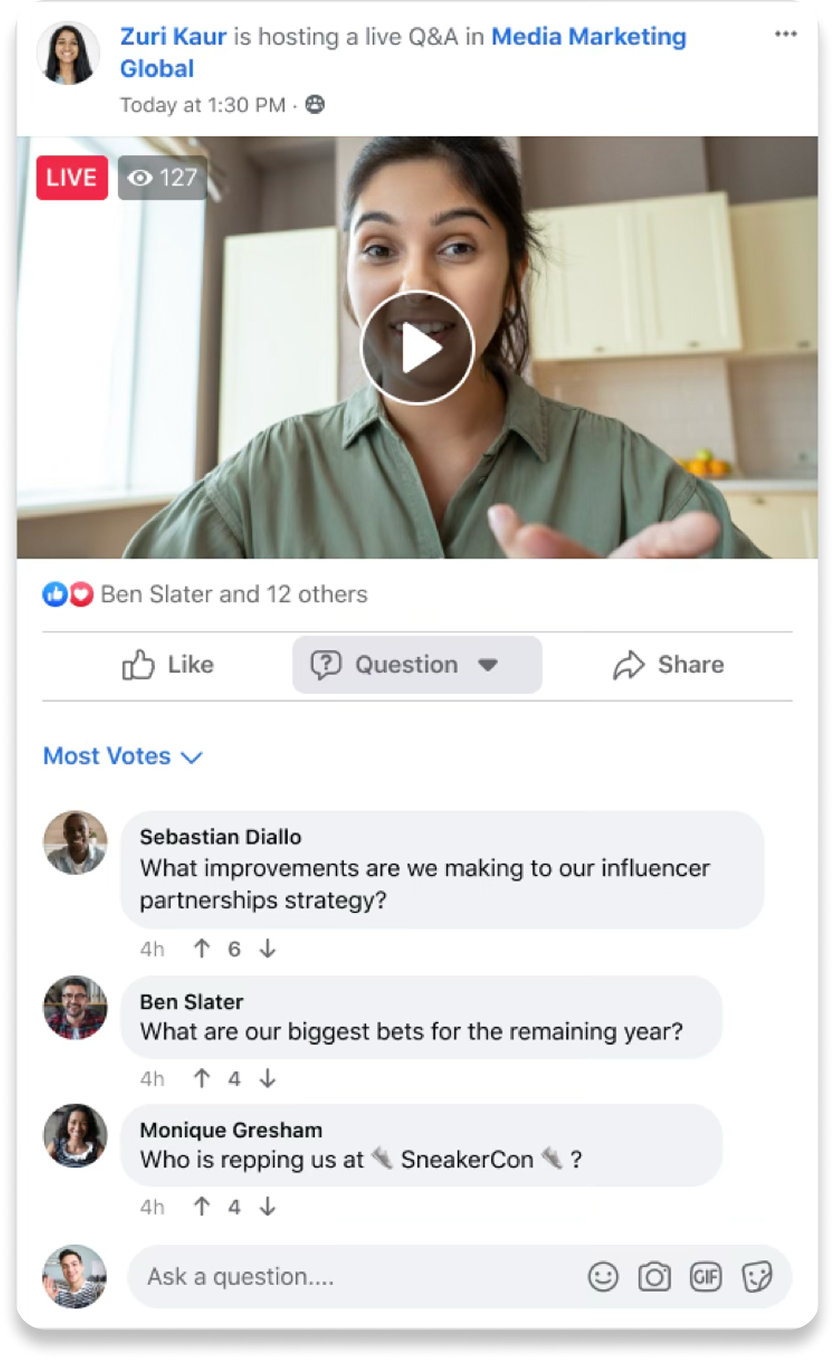
Post output: live Q&ADuring live broadcasts, moderators had to switch between the host room and viewer experience, often monitoring the Q&A from two screens to track questions as they were coming in. After a series of experiments, I developed new UI patterns to aid in question tracking, including a ‘Questions’ panel on the host meeting room that collated pre-live and live questions. The new UI also featured response notifications and time-stamps for viewers.
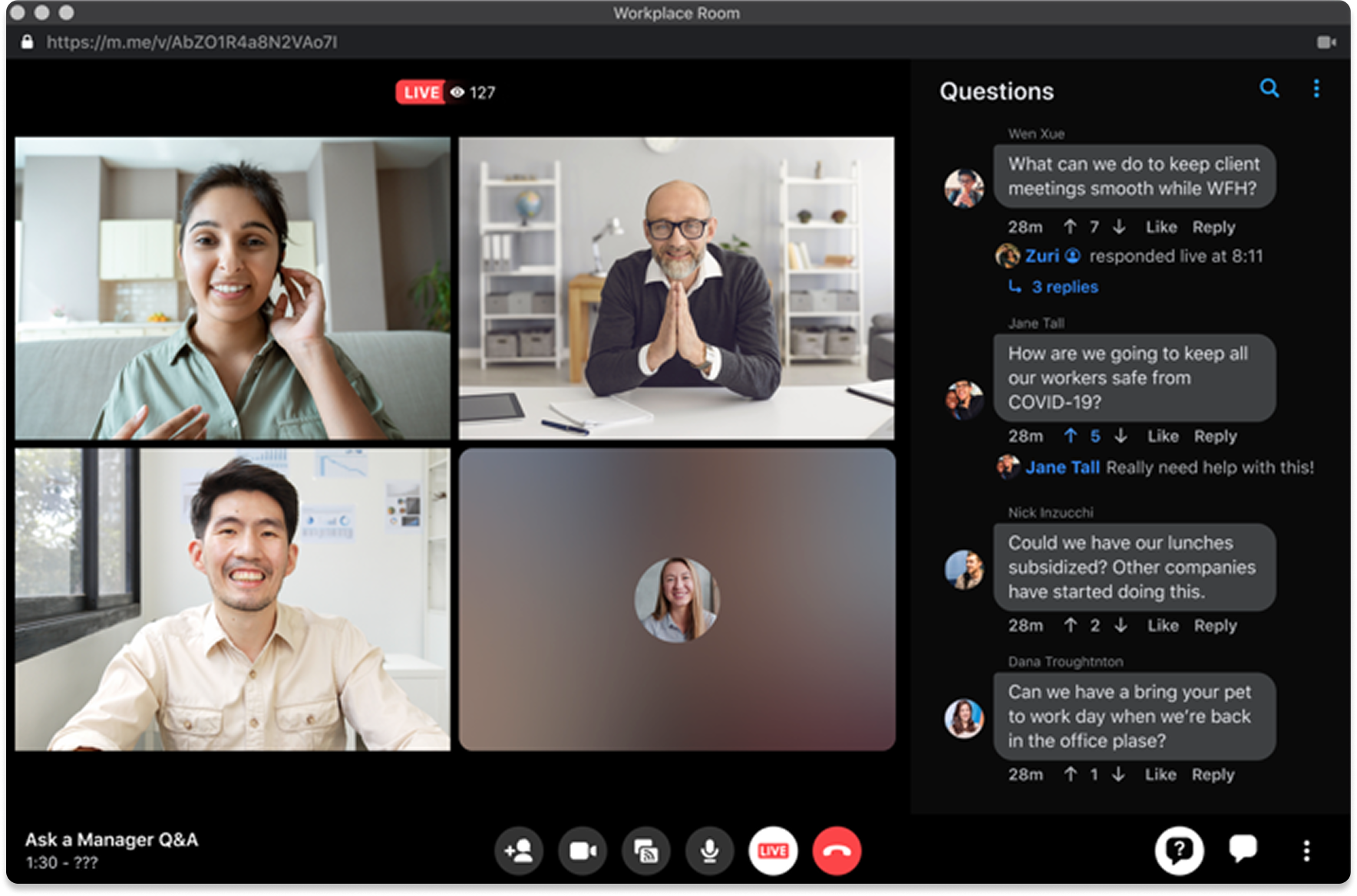
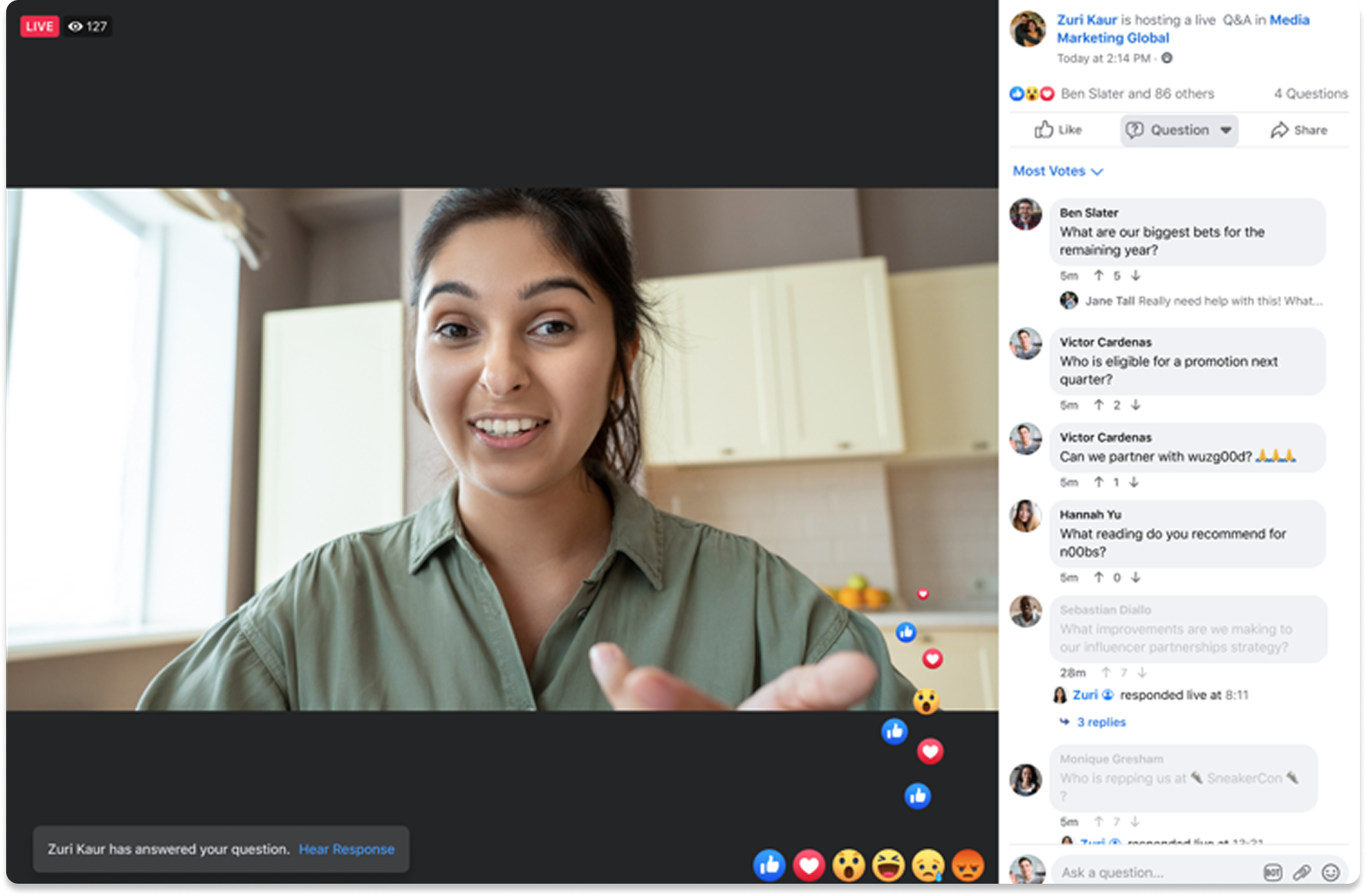
Host vs. Viewer experienceViewer experience
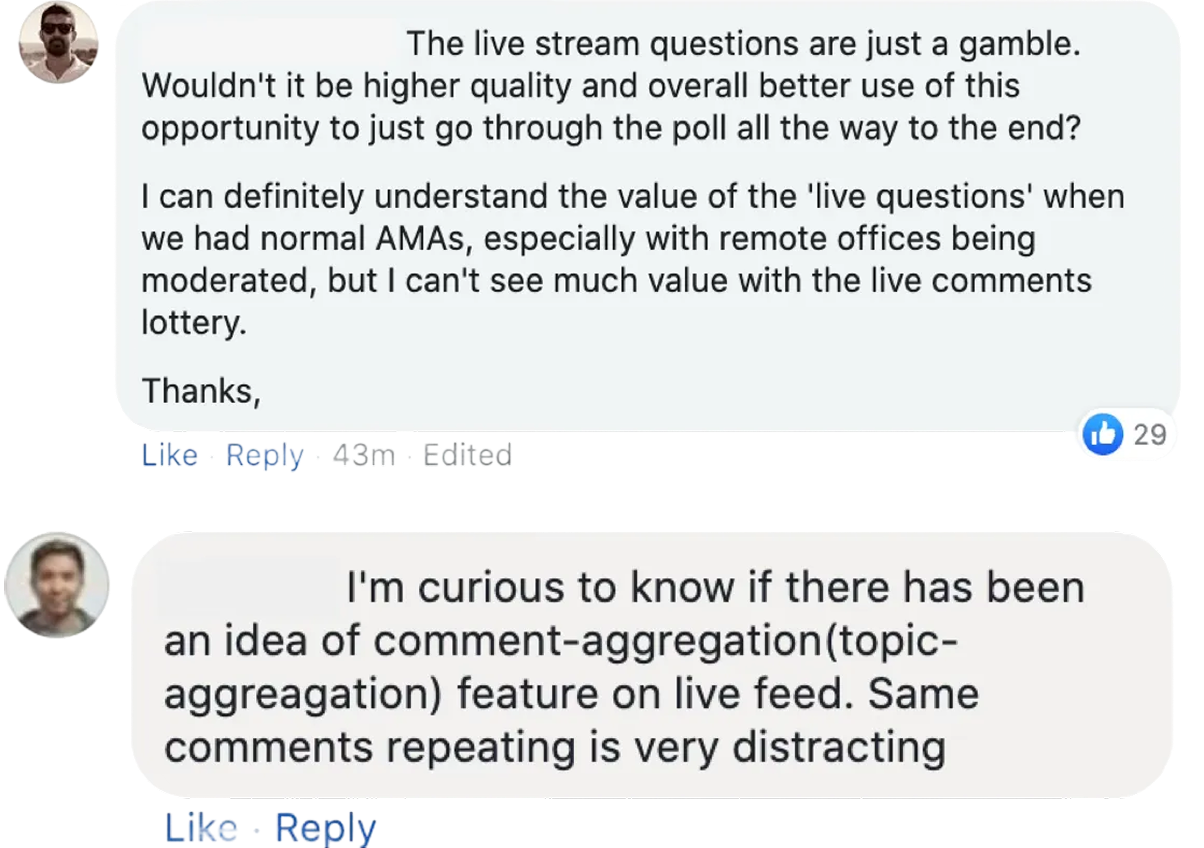
Last but not least, we needed to understand how viewers were going to engage and interact with the tools we were building. How did we get them more excited about live video? How could we improve their viewing experience and their concerns feel heard?
One of the major pain points we found for hosts and moderators was in building excitement amongst employees pre-live. Moderators with advanced technical proficiency were creating graphics and short animations for viewers to enjoy as they waited for Q&As to begin.
Because of the pandemic, our working group carved out time for team-building by playing online games on websites like Kahoot! . The more time we took for these activities, the easier it became for us to share ideas and feedback as we worked with one another. I staarted to see these pre-live ‘lobbies’ as a vehicle for engagement. Since moderators were already using post creation tools to create graphics to excite viewers, could we provide more engaging options for them to choose from?
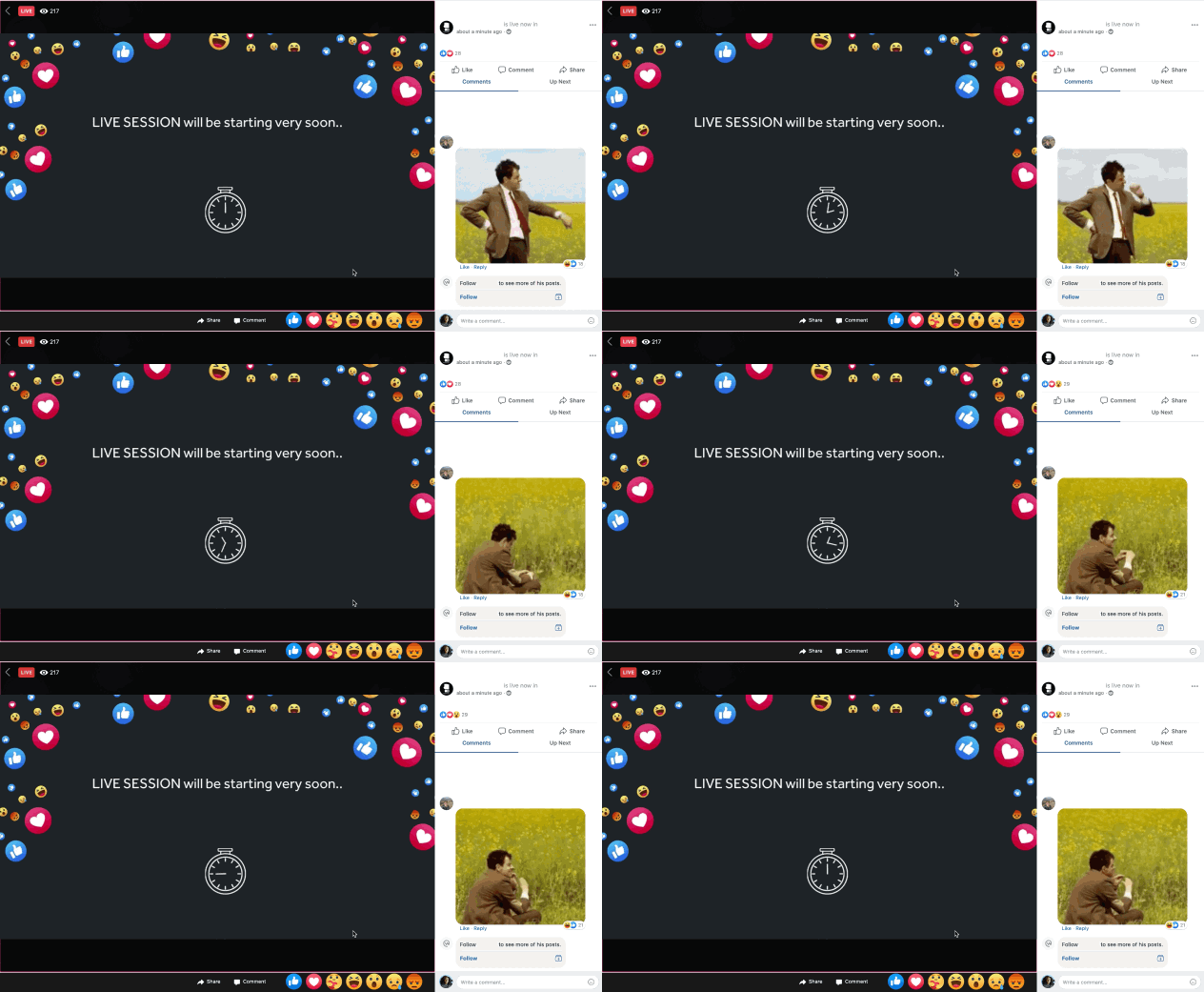
Moderator designed pre-live lobby animation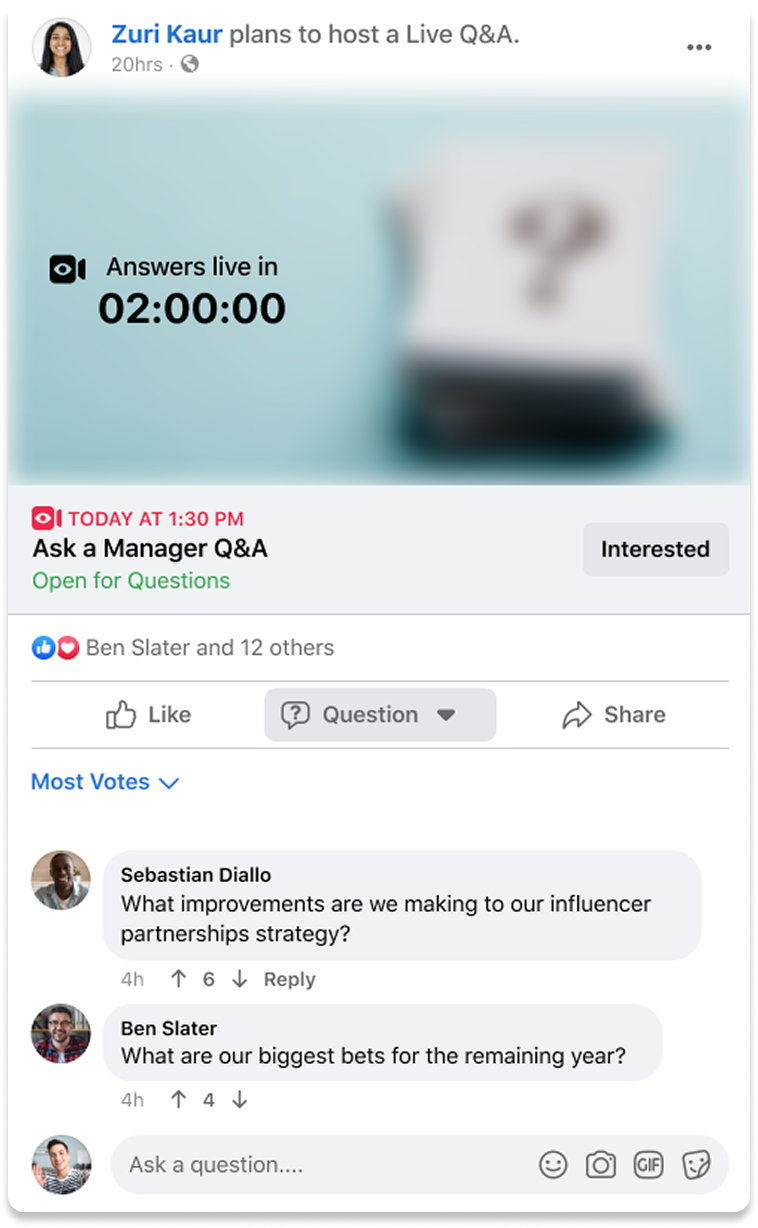
Q&A lobby in Feed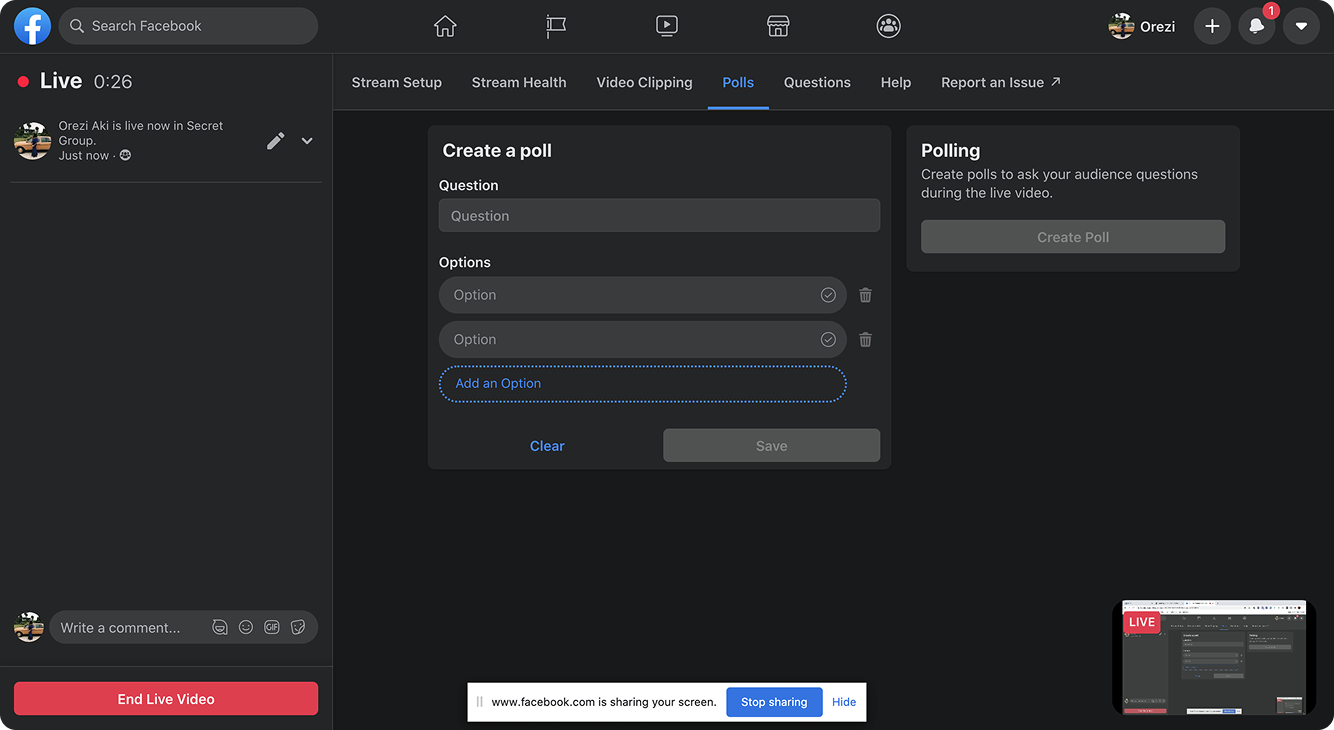
Appending live polling to videos (Kahoot! inspo)There was an engineer on the team who was very passionate about accessibility. Early on, he’d come to me with ideas on how we could improve the viewing experience for users with different needs. We partnered with UXR to identify at least one curb cut use case we could launch with, and were eventually able to influence the team to launch our improvements with Live Captions for Workplace video auto-translated in 3 languages.
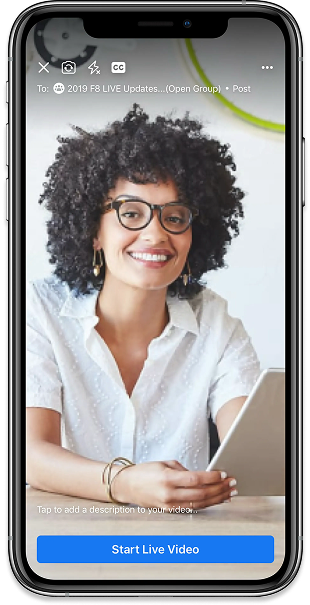
Live captions on mobile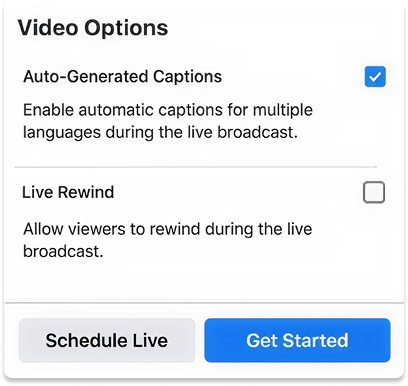
Captions on Live Producer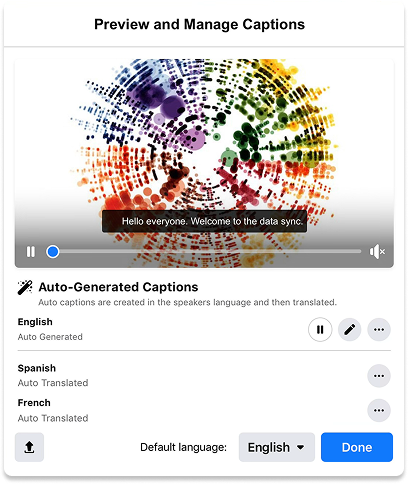
Captions management modalAnalytics
Hosts and moderators requested analytics on each broadcast to understand and improve the impact of the content they were creating. They wanted to understand viewer sentiment so that they could better tailor their videos to their audiences and encourage non-watchers to engage.
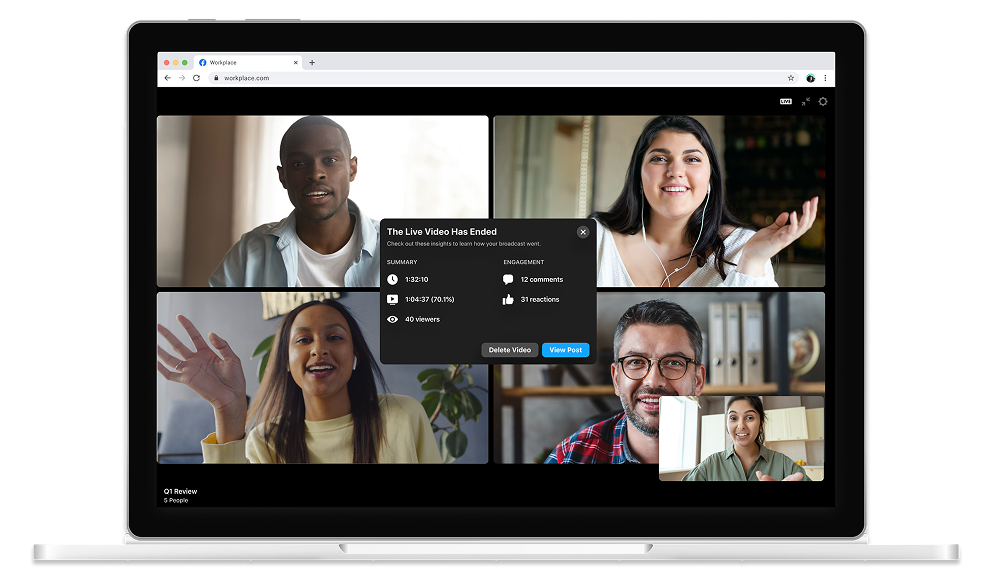
Workplace was often used as part of a suite of tools due to its limitations. Without analytics we found that admins were moving away from our video offering altogether, instead integrating into our platform with other services like BlueJeans, Webex, and Zoom. It became an urgent business need for our team to ship an analytics solution quickly; we took the most requested metrics and displayed them in a dialog immediately after the live video ended and was posted.
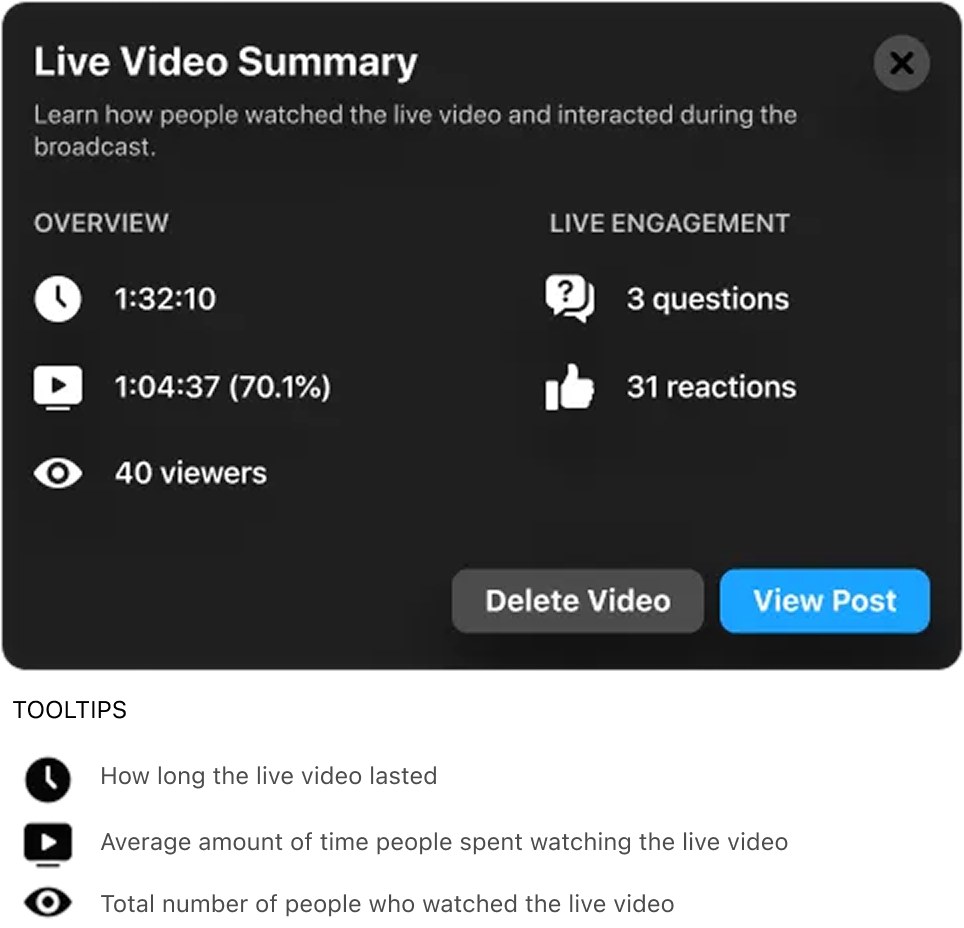
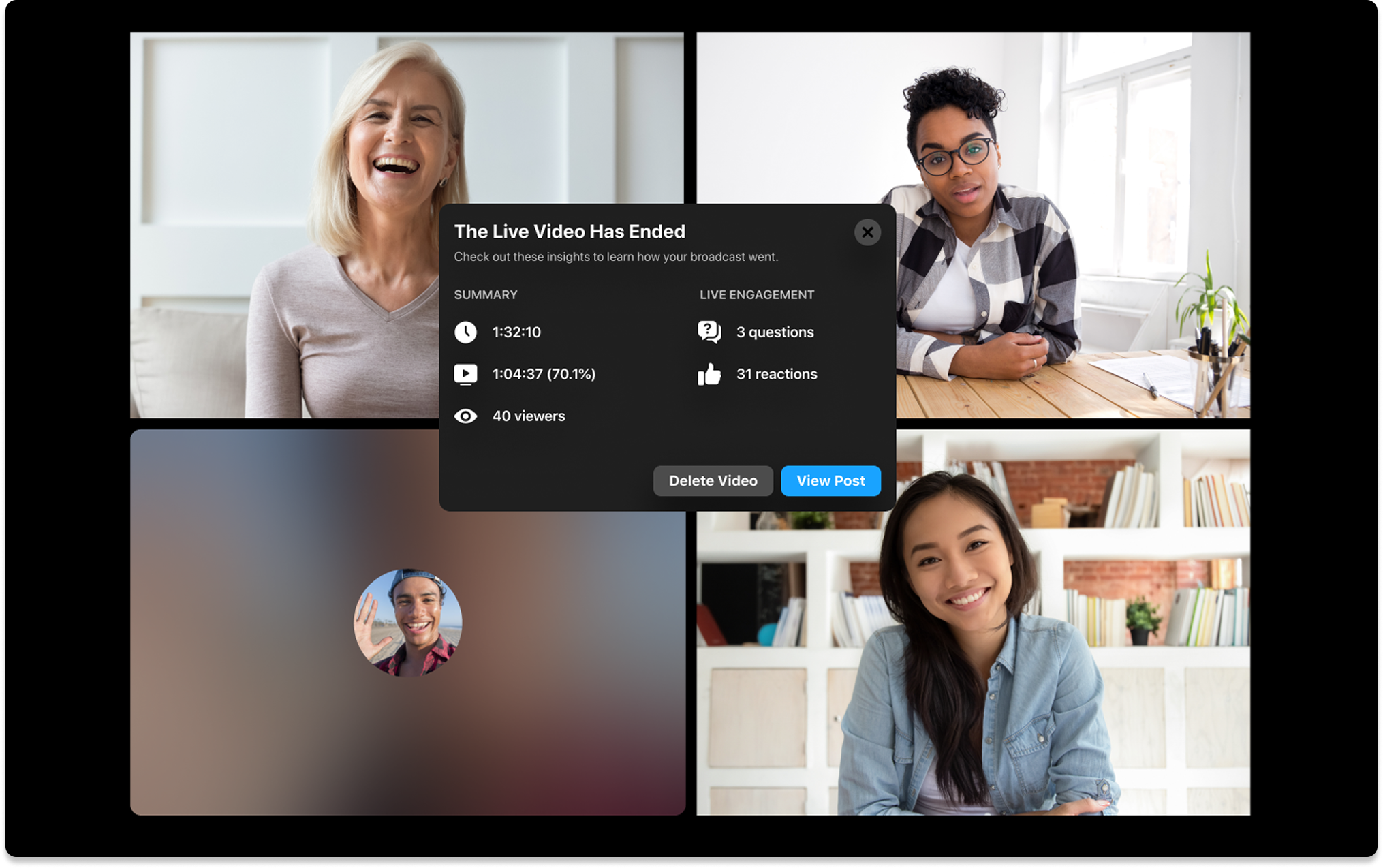
After shipping the analytics dialog, we started thinking about how we could up level our offering. Participants in research studies were consistently asking for deeper metrics and capabilities like demographics and audience targeting.
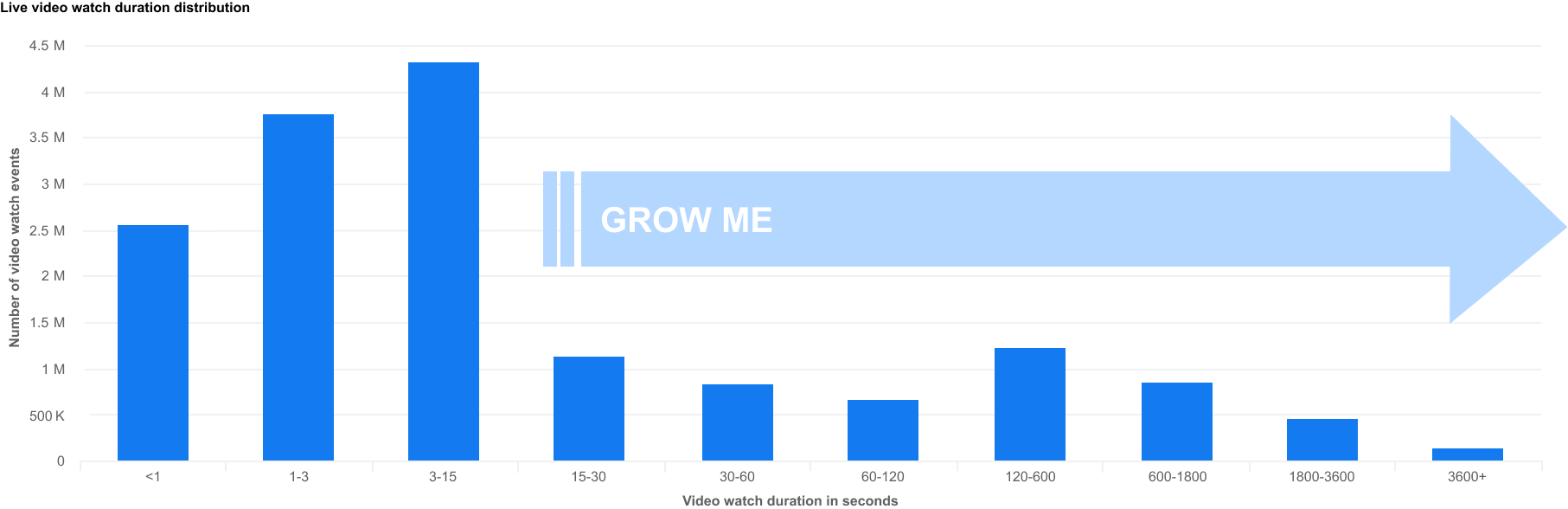
At the same time, the business was analyzing Live video consumption behavior. The average video on Live on Workplace was just around 5 minutes, with the median watch time being ~21 seconds. Crafting a deeper insights knowledge base would help us understand why the median watch time for these videos was so short, and what was stopping users from meaningfully watching a Live.
To solve this, the broader Workplace design team came together to brainstorm an actionable insights solution, where I was responsible for creating a dashboard of metrics and insights that we could display to Workplace admins.
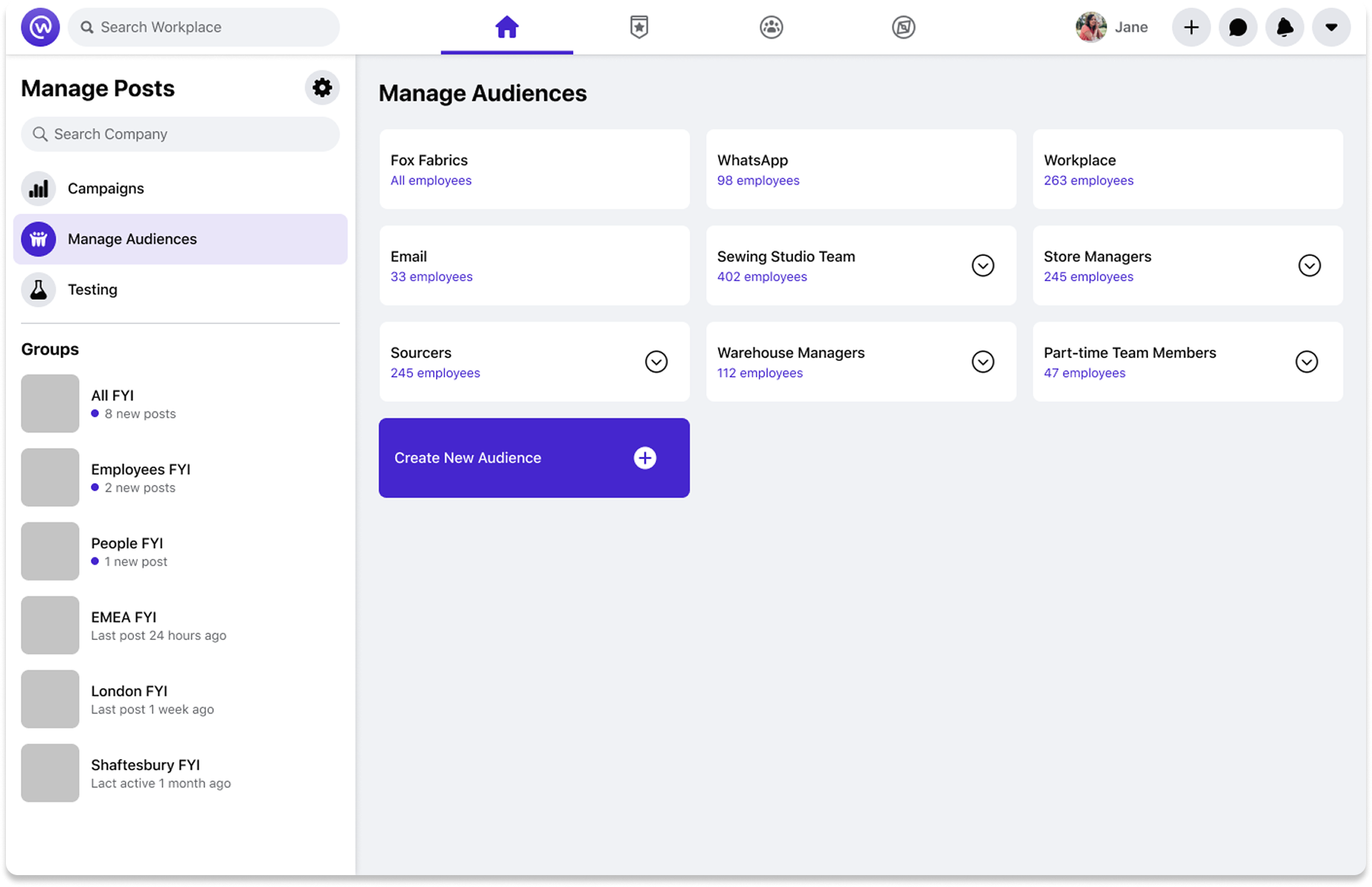
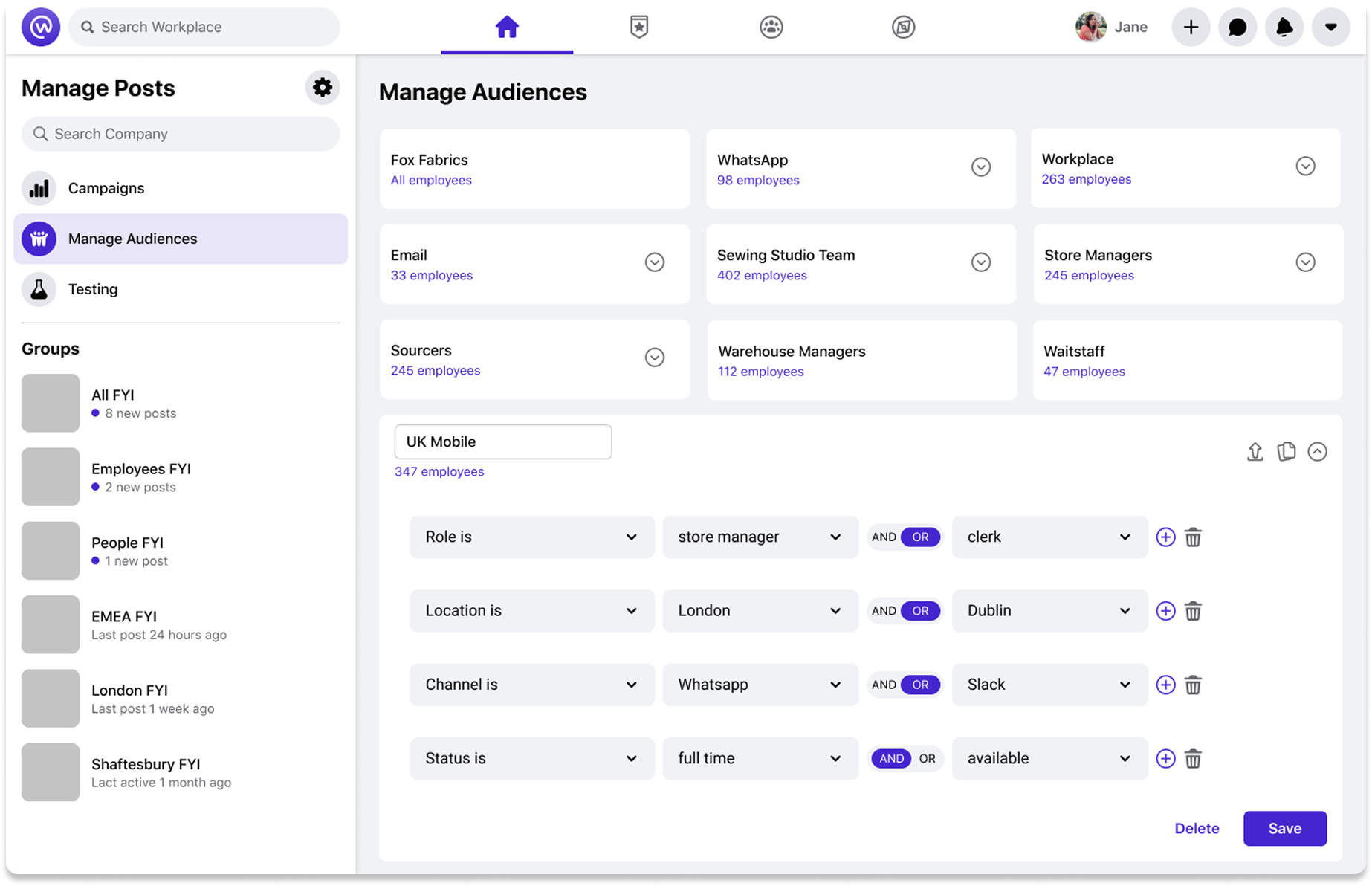
Target audience creation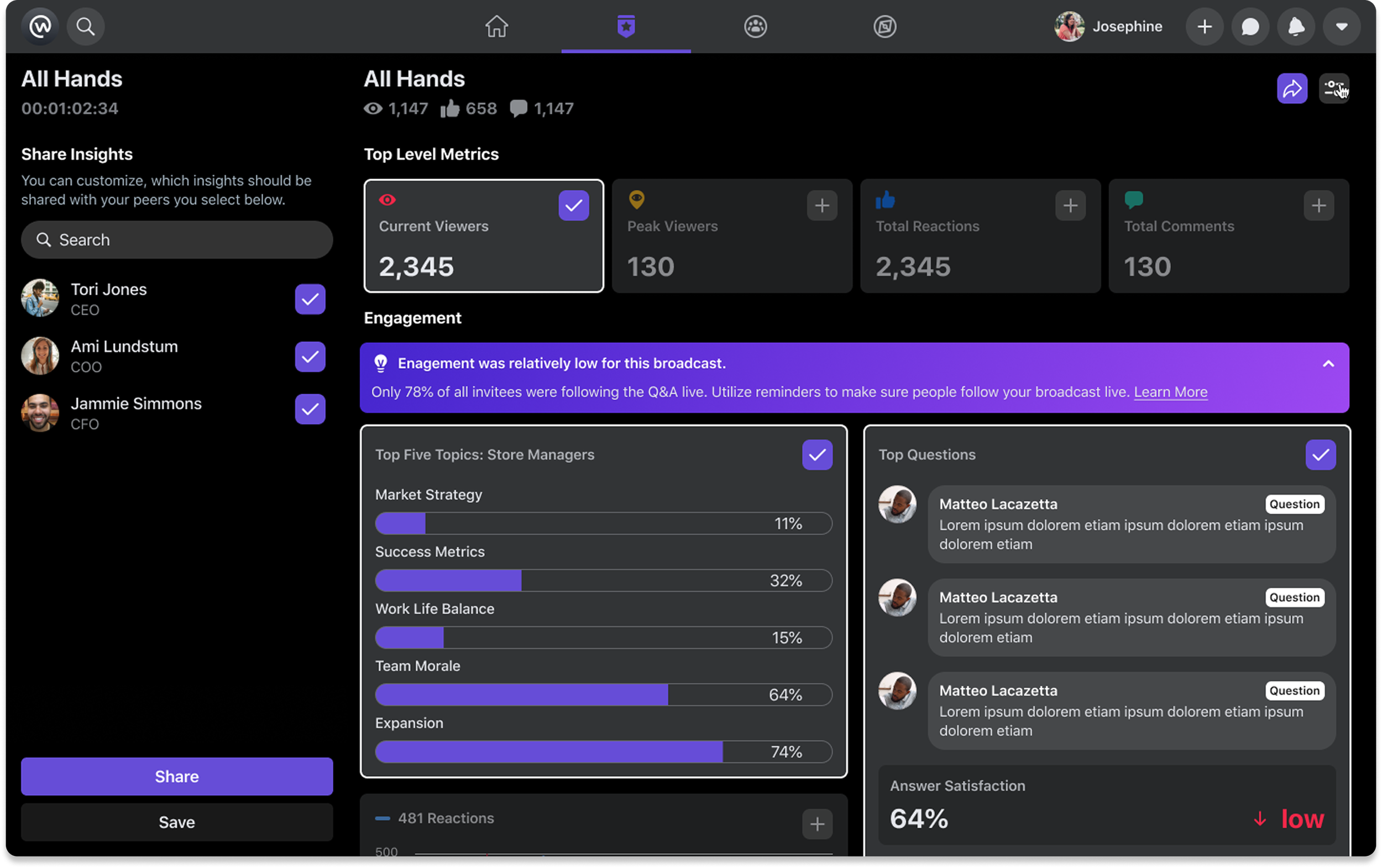
Post-live analytics dashboard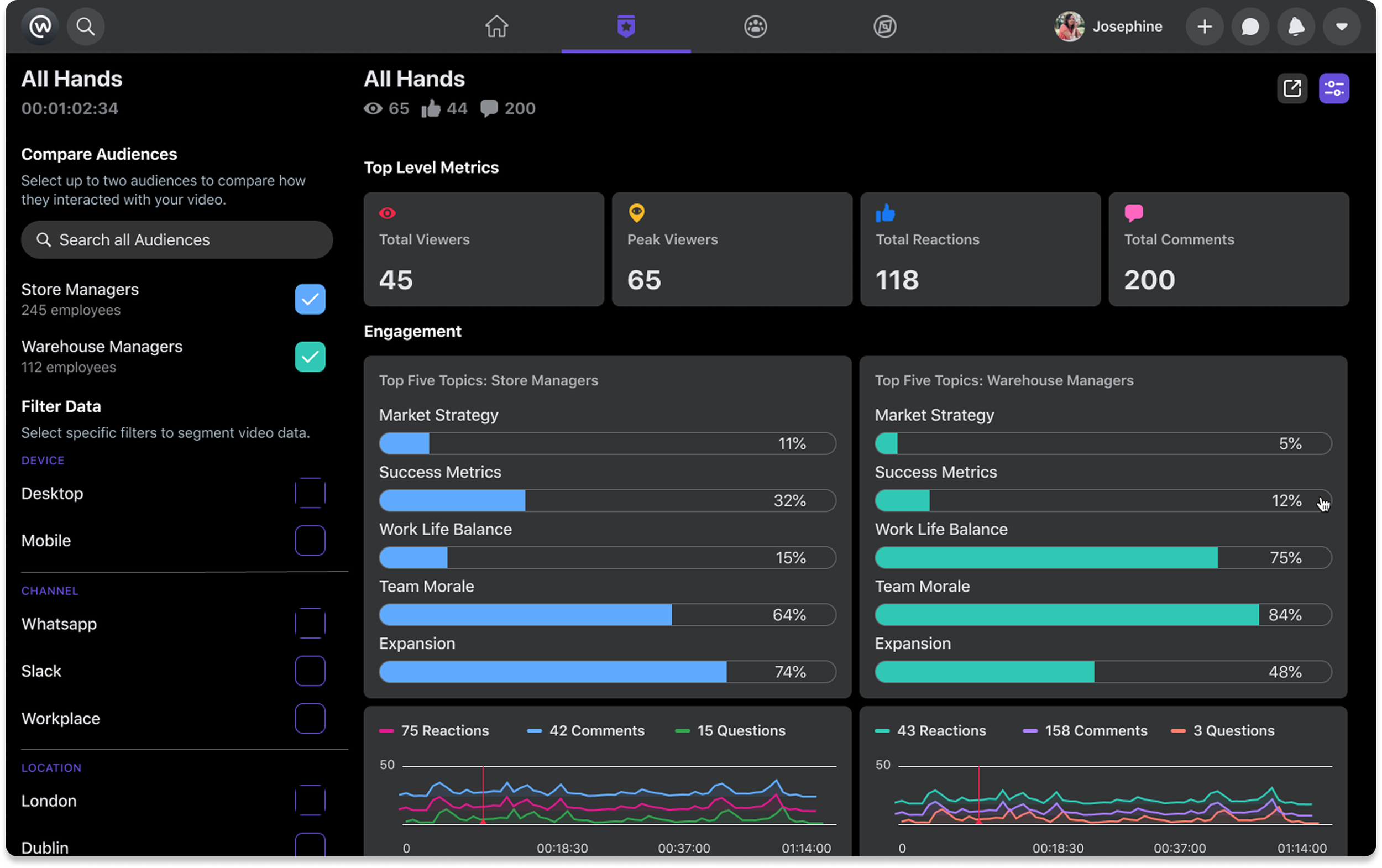
Target audience comparison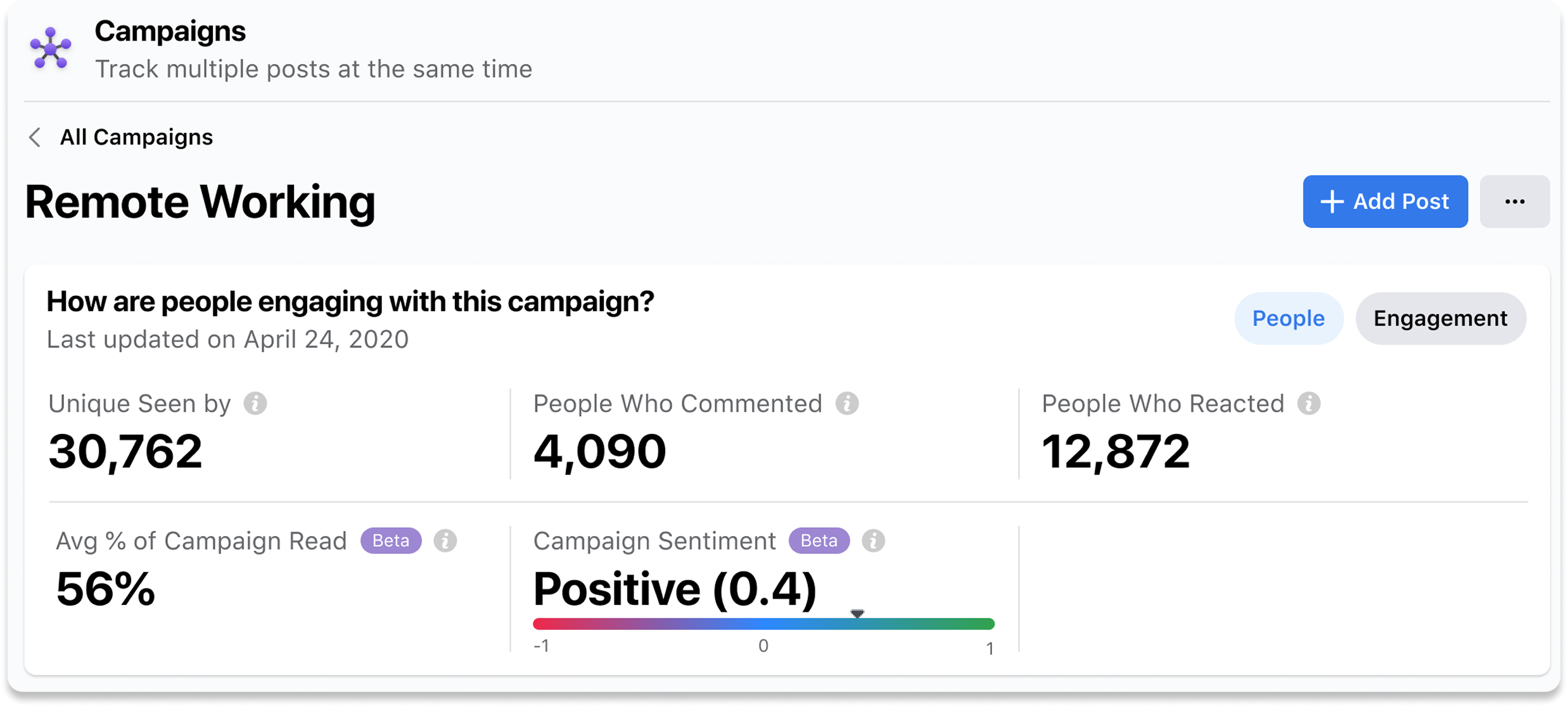
Multi-post (campaign) sentiment analysis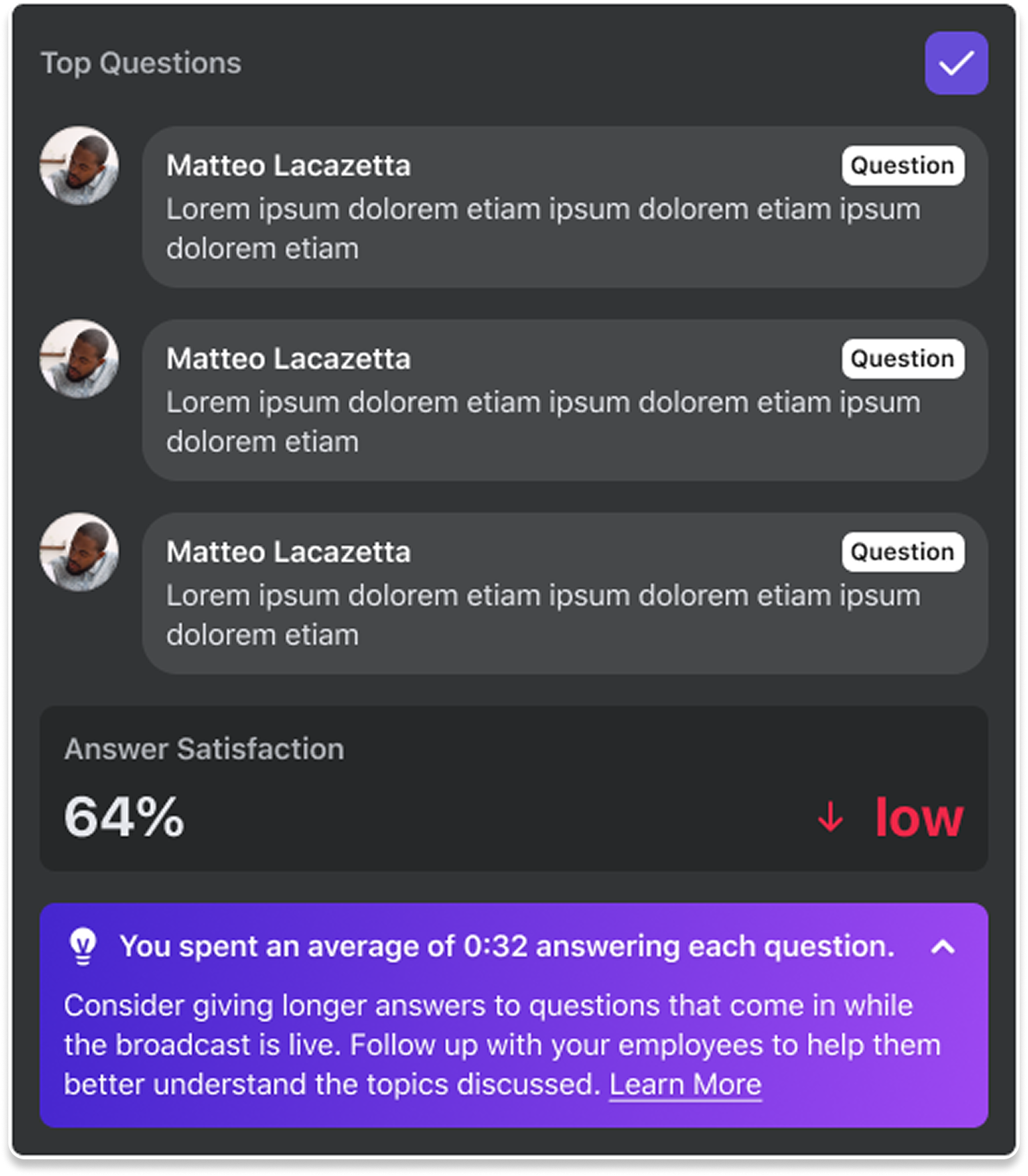
Q&A sentiment analysisResults
After making improvements to the host, moderator and viewer experience across the three identified feature areas, we were able to ship the experience internally which was met with overwhelmingly positive sentiment.
Video discovery increased among DAP (daily active people) on Workplace Feed by 16.43%. Improvements we made to the live video creation and consumption experience also granted us an uptick in employee engagement, with the median watch time of Live Video increasing by 32.05%.
The launches of the live Q&A improvements and analytics/actionable insights were dependent on a successful integration with the Rooms feature. When Rooms finally did launch on Workplace I had left the team, but they were able to carry forward the work I’d done (and adapt to a new design system!), resulting in the experience shown.